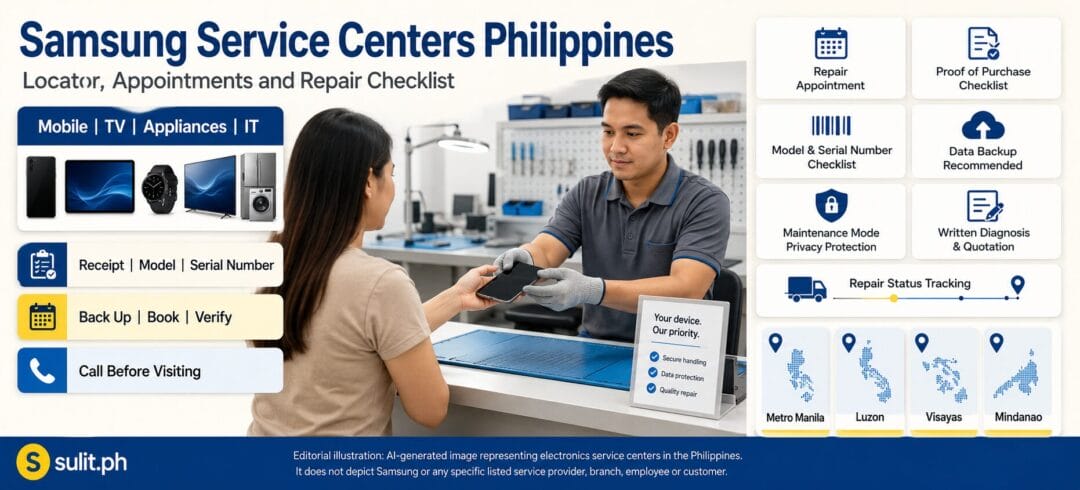
Samsung Service Centers Philippines 2026: Complete Guide
Samsung Service Centers in the Philippines: 2026 Locator and Repair Guide
Samsung has more than 100 authorized service centers across the Philippines, but the exact branch shown to you depends on your location and the type of product needing repair. The safest way to find the correct branch is to use the official Samsung Philippines Service Center Locator, select your product category and enter your city, town or postal code.
Do not assume that every Samsung service center repairs every product. A center that handles Galaxy phones may not accept refrigerators, washing machines, air conditioners, televisions or commercial displays.
Quick Samsung Repair Information
| What you need | Recommended action |
|---|---|
| Nearest authorized center | Use the official Samsung Service Center Locator |
| Faster mobile-device service | Book an appointment before visiting |
| Repair-price estimate | Use Samsung’s online Repair Cost Estimator |
| Warranty repair | Bring the product, warranty card or dated proof of purchase |
| Data protection | Back up your files and activate Maintenance mode |
| Repair status | Use Samsung’s repair-tracking service |
| Product coverage | Select Mobile, TV & AV, Appliances, IT, Displays or Healthcare |
| General support | Call Samsung or use live chat before travelling |
Official support telephone numbers published by Samsung:
- Mobile to landline: 02 8422-2111
- Landline to landline: 8422-2111
- PLDT toll-free: 1-800-10-7267864
- Globe toll-free: 1-800-8-7267864
Samsung’s service-center page lists the toll-free numbers and instructs users to search by product category, location and distance. Its current contact pages show telephone support from Monday to Thursday, 9:00 AM to 6:00 PM, while live chat is published as available daily from 9:00 AM to 6:00 PM. Confirm availability before calling or visiting because schedules can be revised.
How to Find the Nearest Samsung Service Center
Use Samsung’s official locator instead of relying entirely on an old directory copied by another website.
- Open the Samsung Philippines Service Center Locator.
- Select the product category.
- Choose the relevant product type.
- Enter your city, municipality or postal code.
- Start with a 10-kilometre search radius.
- Increase the radius to 20, 30 or 50 kilometres when no branch appears.
- Open the individual center record.
- Check its address, operating hours, telephone number and scope of service.
- Call or book an appointment before travelling.
The official locator supports the following main categories:
- TV and audio-video products
- Mobile devices
- Home appliances
- IT products
- Monitors and commercial displays
- Selected healthcare equipment
Samsung specifically advises users to select the product category first because available service centers vary according to the device being repaired.
Why Choose an Authorized Samsung Service Center?
An authorized service center is the practical choice when you need warranty assessment, genuine replacement parts or a repair documented within Samsung’s service network.
Samsung states that its authorized centers use genuine Samsung parts and employ technicians trained to work on supported Samsung products. Authorized centers can also provide product assessment, software upgrades, technical troubleshooting, repair services and product advice.
Using an unauthorized shop can create complications when:
- The device remains under the manufacturer’s warranty.
- The repair requires proprietary diagnostic tools or software.
- You need a Samsung-issued job order or repair record.
- The replacement part must be verified as genuine.
- A previous repair could affect a future warranty claim.
- The device is covered by Samsung Care+ or a repair programme — see our guide to whether an extended warranty is worth buying in the Philippines before you renew or add one.
Samsung’s Philippine warranty terms state that defects or damage resulting from service, adjustment or installation not furnished or approved by Samsung can invalidate warranty coverage.
An independent repair shop may still be worth considering for an old, out-of-warranty product when the official repair quotation approaches the cost of replacement. Get a written diagnosis first, compare the complete cost and understand what warranty the repairer gives for parts and labour. For the full repair-vs-replace math — including the 50% rule and current Philippine repair price ranges — see our repair vs. replace guide.
Verified Samsung Service Express Lane Locations
Samsung’s live locator remains the source for the complete network. The locations below are a verified subset that Samsung separately publishes as Service Express Lane locations for eligible customers and services. They should not be interpreted as every authorized Samsung service center in the country.
Metro Manila and Nearby Areas
| Authorized service provider | Published address |
|---|---|
| BSD International Mobile Inc. | 2nd Floor, Units 201, 203 and 271, Cyberzone, SM Mall of Asia, J.W. Diokno Boulevard, Pasay City |
| Chronicles Electronics Corp. | Ground Floor, 459 DMR Building, Gonzales Compound, Alabang-Zapote Road, Almanza Uno, Las Piñas City |
| Chronicles Works and Services | 2424 Tejeron Street, Barangay 874, Zone 96, District 6, Santa Ana, Manila |
| Henry’s Electronics – Valenzuela | Unit A, 632 MacArthur Highway, Barangay Malanday, Valenzuela City |
| Jan BC Mobile Inc. | 4th Floor, Cyberzone, Building B, SM Megamall, Mandaluyong City |
| Mind Alliance – North EDSA | 4th Floor, AX1-441-A, The Annex, SM City North EDSA, Barangay Sto. Cristo, Quezon City |
| Raycon Services – Cainta | Unit 3, Showcase Capital Center, Marcos Highway, Barangay San Isidro, Cainta |
North and Central Luzon
| Authorized service provider | Published address |
|---|---|
| 321 Electronics Service Center | Units 101 and 102, New Town Center, De Venecia Highway, Barangay Lucao District, Dagupan City |
| Pines Mobile Inc. – Baguio | Stall 338, Cyberzone, 3rd Floor, SM City Baguio, Luneta Hill, Upper Session Road, Baguio City |
| Raycon Services – Pampanga | 2nd Floor, Oceana Building Complex, MacArthur Highway, Balibago, Angeles City |
South Luzon and Palawan
| Authorized service provider | Published address |
|---|---|
| Comworks Inc. | 2nd Floor, Cyberzone Area, SM City Calamba, National Highway, Barangay Real, Calamba City |
| Jazzy Technical Services – Laguna | Ground Floor, Progressive Building, 1839 Purok 1, Old National Highway, Barangay Dita, Santa Rosa City |
| Techno Planet – Legazpi | 1st Floor, Gavien Building, Consuelo Gavino Jr., Lot 8 Block 3, Landco Business Park, Barangay 36 Kapantawan, Legazpi City |
| Techno Planet – Naga | Metro Dynamic Concepts Inc., Ninoy and Cory Avenue, Triangulo, Naga City |
| Ornillo Manpower Services | 5300 Plaza Feliz Building, National Highway, San Pedro, Puerto Princesa City |
| Puerto Electronico | 2nd Floor, SM City Puerto Princesa, Malvar Road corner Lacao Street, San Miguel, Puerto Princesa City |
Visayas
| Authorized service provider | Published address |
|---|---|
| Jazzy Technical Services – Iloilo | Units 1 and 2, One Rodulfo Building, Muelle Loney Street, Barangay President Roxas, Iloilo City |
| Powerhouse Distributor Inc. | 2nd Floor, Ponce Building, Araneta Street, Bacolod City |
Mindanao
| Authorized service provider | Published address |
|---|---|
| Banana Telecommunication Inc. | Barangay 20-B, Bajada, Insperia Condominium, Davao City |
| Mystic Electronics Repair Center | V3A Building, 73A Rizal Extension, Barangay 35-D, Poblacion District, Davao City |
| Lagman Electronics Services | Dupoint Building, A. Velez Street, Cagayan de Oro City |
| Promarigold Corp. | 067E Metrovi Building, South Osmeña Street, Dadiangas East, General Santos City |
These addresses were published by Samsung as Service Express Lane locations. Branch status, operating hours and accepted product categories should still be checked through the live locator or hotline before visiting.
Samsung Service Centers in Metro Manila
Metro Manila has several authorized providers, including locations in Pasay, Manila, Las Piñas, Mandaluyong, Quezon City and Valenzuela. A nearby center is not automatically the correct center for your product.
Before travelling through Metro Manila traffic, confirm:
- The center accepts your exact device category.
- Walk-ins are accepted that day.
- The center has not moved or changed its schedule.
- Your preferred appointment slot has been confirmed.
- Large appliances require carry-in, pick-up or home service.
- Parking, mall access or building-entry rules apply.
- The center can assess an imported or overseas-purchased unit.
Mall-based centers can also follow mall operating schedules, holiday rules or temporary access restrictions. Call first even when the branch appears active on a map listing.
Samsung Service Centers in Luzon Outside Metro Manila
Samsung publishes authorized support locations across North, Central and South Luzon. Verified Service Express Lane locations include Dagupan, Baguio, Angeles, Cainta, Calamba, Santa Rosa, Naga, Legazpi and Puerto Princesa.
Provincial customers should increase the search radius when the locator shows no nearby result. The closest center may be located in another city or may accept only certain products.
For refrigerators, air conditioners, washing machines and other large appliances, contact Samsung before transporting the unit. Some concerns may require an arranged inspection or service visit instead of carrying the appliance to a mobile-device service counter.
Samsung Service Centers in the Visayas
Samsung’s official Express Lane list includes published locations in Iloilo and Bacolod. Additional authorized centers may appear through the live locator when you search Cebu, Mandaue, Lapu-Lapu, Dumaguete, Tacloban and other Visayas locations.
A directory page can become outdated quickly, so use the official locator to confirm the current result for your city and product category.
When travelling from another island or province, ask the center whether:
- It accepts courier-delivered devices.
- A personal appearance is required.
- Proof of ownership is needed.
- Return shipping can be arranged.
- The device must be collected from the same center.
- The repair can be completed during one visit.
Do not send a phone, tablet or wearable through an unofficial courier arrangement without a documented Samsung support request.
Samsung Service Centers in Mindanao
Samsung’s published Service Express Lane locations include providers in Davao City, Cagayan de Oro City and General Santos City.
Customers in Iligan, Butuan, Zamboanga, Cotabato, Tagum and nearby provinces should use the live locator and increase the search radius when necessary. Ask Samsung support whether the nearest matching center handles your product before beginning a long trip.
For customers outside major cities, appointment booking matters because parts may need to be ordered after diagnosis. A center may accept the product on the first visit but require additional time before completing the repair.
Services Available at Samsung Service Centers
The exact scope depends on the center, technician capability, product category and availability of replacement parts.
Smartphone, Tablet and Wearable Support
Authorized mobile centers may provide:
- Device inspection and diagnosis
- Screen assessment
- Battery assessment
- Camera or charging-port diagnosis
- Software updates
- Technical troubleshooting
- Component or part replacement
- Warranty evaluation
- Repair-status documentation
- Product-use advice
Samsung advises customers sending a Galaxy device for repair to activate Maintenance mode. This restricts access to personal photographs, messages and accounts while allowing technicians to inspect supported device functions. Availability depends on the device model and software version.
TV and Audio-Video Support
Samsung’s locator covers televisions, soundbars, projectors, home-entertainment systems and selected audio products.
Samsung states that televisions measuring 32 inches or smaller may be brought to a service center. Contact support first for larger units because their handling and service arrangements may differ.
Home-Appliance Support
Supported categories shown by Samsung include:
- Refrigerators
- Washing machines
- Air conditioners
- Cooking appliances
- Vacuum cleaners
- Small appliances
- Air and shoe dressers
Large-appliance service can involve diagnosis at the installation site, transport requirements or labour needed to remove and reposition the appliance. Confirm the service process before disconnecting or moving the unit.
IT and Display Support
The locator includes options for:
- Personal computers
- Monitors
- Digital photo frames
- Signage
- Hospitality televisions
- Selected commercial displays
Commercial and institutional equipment may require a different support process from consumer devices.
How Much Does Samsung Repair Cost in the Philippines?
Samsung does not publish one universal repair price. The amount depends on the product, model, fault, required parts, labour, taxes and warranty status.
Samsung provides an online Repair Cost Estimator for supported products and issues. The result is an estimate rather than a final quotation. Samsung states that the final repair quote is issued by an authorized technician after inspection and that certain taxes, labour or appliance-handling costs may not be included in the estimate.
Use this process:
- Run the device and issue through the official estimator.
- Save the estimate as a planning reference.
- Bring or submit the product for inspection.
- Ask for an itemized written quotation.
- Check whether parts and labour carry a repair warranty.
- Compare the quotation with the realistic replacement cost.
- Approve the repair only after understanding the total charge.
Do not treat an online estimate, social-media post or forum comment as a guaranteed repair price.
Is It Better to Repair or Replace Your Samsung Device?
Repair usually makes sense when:
- The problem involves one replaceable component.
- The device remains under warranty.
- The repair cost is clearly below replacement cost.
- The product still receives needed software or security updates.
- The device otherwise meets your needs.
- Important accessories or installations would make replacement costly.
Replacement may be more practical when:
- The repair quotation approaches the cost of a comparable new product.
- Several major components are failing.
- Replacement parts are unavailable.
- The device is no longer secure or compatible with required applications.
- Energy use, reliability or recurring repair costs are becoming a problem.
- The product has been declared beyond economic repair.
Do not decide based only on the price of one part. Include labour, diagnosis, transport, data recovery, installation and the remaining useful life of the device.
How to Book a Samsung Repair Appointment
Samsung allows repair appointments to be arranged through chat support or its hotline.
Prepare the following information:
- Complete name
- Complete address and postal code
- Contact number
- Product model number
- Serial number or IMEI
- Date of purchase
- Place of purchase
- Preferred appointment date and time
- Clear description of the problem
Samsung states that customers with appointments can receive priority in the service queue. Booking does not necessarily guarantee same-day repair because diagnosis, parts availability and workload affect completion time.
What to Bring to a Samsung Service Center
Bring the following when applicable:
- Samsung device or product
- Dated sales invoice or official receipt
- Delivery invoice for an online purchase
- Warranty card
- Valid identification
- Appointment confirmation
- Product model and serial number
- IMEI for a mobile device
- Charger or accessory when related to the problem
- Photographs or videos showing an intermittent issue
- Previous repair documents
- Samsung Care+ information, when applicable
Samsung’s Philippine warranty guidance requires the warranty card or dated proof of purchase when making a warranty claim. Warranty terms vary by product, and local warranty coverage generally requires a Philippine purchase from an authorized reseller with supporting documents.
Avoid bringing unrelated cases, straps, memory cards or detachable accessories unless the technician specifically requests them.
Prepare Your Phone Before Repair
1. Back Up Your Data
Back up photographs, videos, contacts, authentication information and important files.
Samsung recommends backing up data before repair and provides options through Samsung Cloud, a Google account or Smart Switch. Its repair guidance also recommends removing personal data when necessary to protect privacy.
2. Activate Maintenance Mode
On supported Galaxy devices:
- Open Settings.
- Select Device care or Battery and device care.
- Open Maintenance mode.
- Select Turn on.
- Restart the phone when prompted.
Maintenance mode restricts access to personal data while leaving preinstalled applications available for repair testing. Samsung says the feature generally requires a screen-lock PIN or password and is available only on supported models and software versions.
3. Remove Personal Accessories
Remove the following unless the service center asks for them:
- SIM card
- Memory card
- Protective case
- Strap
- Decorative accessory
- External storage device
Keep the SIM ejector and small accessories in a labelled container.
4. Record the Device’s Condition
Photograph the front, back, sides and existing damage before surrendering the product. Record the serial number or IMEI separately.
Check that the service receipt accurately describes:
- Existing scratches or dents
- Reported symptoms
- Accessories surrendered
- Warranty status
- Estimated completion date
- Quotation-approval requirement
5. Disable Features Only When Instructed
The center may ask you to remove certain account locks or security controls. Do not disclose passwords through an unverified message or unofficial social-media account.
Walk-In or Appointment: Which Is Better?
| Visit type | Best for | Important limitation |
|---|---|---|
| Appointment | Planned repairs and customers travelling from far away | Repair time still depends on diagnosis and parts |
| Walk-in | Urgent assessment when the center confirms availability | You may wait longer or encounter a full queue |
| Pick-up arrangement | Eligible mobile devices or supported service programmes | Available only through selected centers or programmes |
| Home or on-site service | Large appliances or installed equipment | Requires confirmation from Samsung support |
Samsung’s Concierge programme lists pre-appointment booking, selected pick-up and delivery arrangements, loaner units and Service Express Lane access as benefits available under qualifying conditions and at selected centers. These services are not automatically available to every customer or device.
Common Mistakes to Avoid
Visiting a Samsung Store Instead of a Service Center
A Samsung Experience Store primarily sells products. It may not have an authorized repair workshop.
Assuming Every Center Repairs Every Product
Always search using the product category. A mobile center may not accept a television or appliance.
Travelling Without Calling
Hours, workloads, holidays, parts availability and branch status can change.
Expecting an Immediate Final Price
A technician must inspect the product before issuing the final quotation.
Sending a Phone Without Backing It Up
Repairs, resets or component replacement can result in data loss. Protect your files first.
Forgetting Proof of Purchase
This can delay or prevent a warranty claim.
Trusting an Unverified Map Listing
A map listing may contain an old address, user-edited telephone number or incorrect schedule. Compare it with Samsung’s locator.
Frequently Asked Questions
Where can I find a Samsung service center in the Philippines?
Use Samsung Philippines’ official Service Center Locator. Select the product category, enter your city or postal code and increase the search radius when no nearby result appears.
How many Samsung service centers are there in the Philippines?
Samsung states that it has more than 100 authorized service centers across the Philippines. The exact searchable results vary by product category and location.
Do Samsung service centers accept walk-ins?
Many centers may accept walk-ins, but acceptance and queue availability depend on the location. Samsung recommends booking an appointment for priority service.
Do I need an appointment?
An appointment is not presented as universally mandatory for ordinary repairs, but it can reduce waiting time. Samsung Care+ and other specialised programmes may have separate claim or appointment requirements.
How long does a Samsung repair take?
There is no universal turnaround time. Completion depends on diagnosis, product type, technician workload, warranty approval and replacement-part availability. Ask for a documented expected completion date after assessment.
How much does Samsung repair cost?
Use Samsung’s Repair Cost Estimator for a planning estimate. The authorized technician provides the final quotation after inspecting the product.
What documents do I need for warranty service?
Bring your warranty card or dated proof of purchase, such as the official receipt, tax invoice or delivery invoice. Bring the product and relevant identification or service-plan information.
Can Samsung repair an imported device?
Do not assume Philippine warranty coverage applies. Samsung’s local warranty conditions are generally tied to products purchased locally through authorized Philippine resellers with supporting documents. Ask Samsung to check the model and serial number before visiting.
Should I factory-reset my phone before repair?
Back up your data first. Use Maintenance mode when supported. Perform a factory reset only when Samsung or the service center advises it, or when needed to protect data after a verified backup.
Can I track my repair?
Samsung provides a repair-tracking service. Keep your job order, ticket number or reference number because it may be required to check the repair status.
Final Samsung Service-Center Checklist
Before leaving home, confirm:
- The center appears in Samsung’s official locator.
- It services your product category.
- Its address and schedule are current.
- Your appointment is confirmed.
- You have the model and serial number.
- You have proof of purchase for a warranty claim.
- Your data is backed up.
- Maintenance mode is active when supported.
- SIM cards and memory cards have been removed.
- Existing damage has been photographed.
- You understand that the final price follows inspection.
- You will receive a service receipt or job order.
The most useful “complete list” is Samsung’s own live locator. Use static regional lists only as a starting point and verify the branch before spending time and money travelling to it.