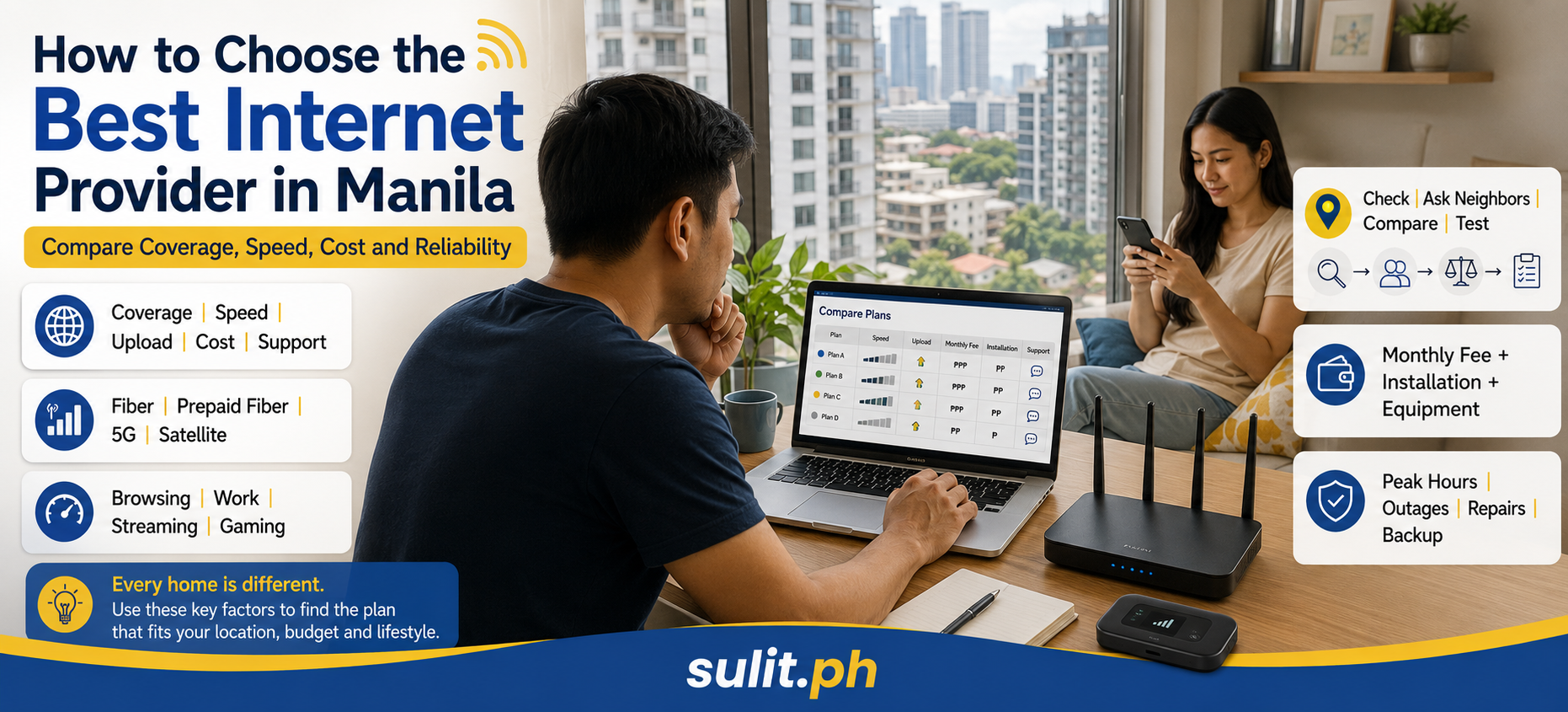
How to Choose the Best Internet Provider in Manila
The best internet provider in Manila is the provider that has a stable connection at your exact address, enough speed for your household, reasonable contract terms and acceptable support when the line fails. A provider with the fastest advertised plan is not automatically the best choice if its network is congested, unavailable in your building or difficult to repair in your neighborhood.
Start by checking which fiber lines, cable services and 5G networks are available at your address. Then compare three realistic choices using total monthly cost, expected performance, contract restrictions, installation requirements and feedback from nearby subscribers.
This location-first method is the central recommendation of this guide. The uploaded content brief also identifies barangay-level availability, weather resilience, support quality and alternatives when fiber is unavailable as the most important gaps in generic provider comparisons.
The practical rule: Choose the best-performing connection in your building or street, not the provider with the loudest national advertising.
If you’re weighing a prepaid, no-lock-in option against a postpaid “unli” plan specifically, see our pocket WiFi vs. postpaid home fiber worth-it breakdown for real PLDT, Globe, and Converge pricing and lock-in terms.
Quick Internet Provider Decision Table
| Factor | What to check | Why it matters |
|---|---|---|
| Address availability | Provider confirmation for your exact building, street or unit | Coverage maps do not guarantee an open connection port |
| Connection type | Fiber, cable, fixed 5G, mobile broadband or satellite | The technology affects latency, consistency and installation |
| Download speed | Speed needed by all simultaneous users | Advertised speed is shared across connected devices |
| Upload speed | Video calls, cloud backups and content uploads | A fast download speed can hide a weak upload connection |
| Evening performance | Tests between 7 p.m. and 11 p.m. | Congestion becomes more visible during busy hours |
| Total cost | Monthly fee, installation, equipment and add-ons | The advertised monthly price is not always the full cost |
| Lock-in period | Contract length and termination charges | Important for renters and people planning to move |
| Repair performance | Local technician response and outage handling | A fast plan has little value when repairs take too long |
| Backup option | Mobile data, prepaid fiber or fixed 5G | Useful for remote work, online classes and business operations |
First, Define What “Manila” Means for Your Search
“Manila” can refer to the City of Manila or the wider Metro Manila region. Provider availability can change between districts, barangays, subdivisions, condominiums and even adjacent buildings.
A provider serving Quezon City, Makati or Pasig does not automatically serve every address in the City of Manila. The opposite is also true. Infrastructure availability depends on installed lines, building agreements, available network ports, signal quality and local capacity.
Enter your complete service address when checking availability:
- Unit or house number
- Building or condominium name
- Street
- Barangay
- City
- Postal code
- Nearby landmark when requested
Condominium residents should also ask the property administrator which providers are permitted inside the building. Some developments have one installed provider, several approved providers or limited riser space for new lines.
Understand Your Household’s Internet Needs
Before comparing providers, identify what the internet connection must support on a normal busy day.
Count simultaneous activity, not the total number of devices you own. A household can own 20 connected devices without using them all heavily at once. The demanding moment happens when several people stream, attend video meetings, play online games and download files at the same time.
Practical Speed Guide
| Household use | Suggested starting range | Typical situation |
|---|---|---|
| Basic browsing and messaging | 50 to 100 Mbps | One or two users, social media, email and standard video |
| Everyday family use | 100 to 300 Mbps | Several users, HD streaming, schoolwork and video calls |
| Remote work and heavy streaming | 300 to 500 Mbps | Multiple video meetings, 4K streaming and cloud services |
| Gaming and content creation | 300 to 800 Mbps | Large downloads, livestreaming, video editing and frequent uploads |
| Large connected household | 500 Mbps to 1 Gbps | Many simultaneous users, smart devices and several 4K streams |
These ranges are planning benchmarks, not guarantees. Wi-Fi conditions, router quality, upload performance, network congestion and the destination server can affect the experience.
Do Not Ignore Upload Speed
Upload speed matters when you:
- Attend video conferences
- Upload YouTube or TikTok videos
- Back up files to cloud storage
- Send large design or video files
- Operate security cameras
- Livestream games or events
- Host files or remote-access systems
Ask the provider whether the plan has symmetrical speeds, meaning similar download and upload rates, or an asymmetrical connection with slower uploads.
Plan for the Next Two Years
Do not choose a connection that barely supports your current use. Households tend to add smart televisions, security cameras, tablets, game consoles and cloud-based services.
A small amount of additional capacity can prevent an early upgrade. Paying for several times more speed than you can use, however, produces little practical value.
Know the Main Internet Connection Types
Fiber Internet
Fiber is the preferred starting point for most fixed households when it is available. It can support high speeds, low latency and heavy simultaneous use.
PLDT, Globe and Converge currently publish residential fiber offerings. Their official pages show plans across multiple speed and price levels, but availability remains subject to serviceability at the applicant’s address.
Fiber is a strong fit for:
- Permanent households
- Remote workers
- Families with several heavy users
- Gamers
- Content creators
- Home-based businesses
Fixed 5G Home Internet
Fixed 5G uses a cellular network and a home modem instead of a wired line. Installation can be faster because the connection does not require fiber to be brought directly into the property.
DITO’s published home Wi-Fi offerings include prepaid and postpaid 5G products. The provider states that service depends on confirmed 5G coverage at the intended location.
Fixed 5G fits:
- Renters
- Homes waiting for fiber installation
- Locations without an available fiber port
- Households needing a secondary connection
- Users who value a plug-and-play setup
Its performance depends heavily on signal strength, indoor placement, network load and the modem’s distance from an effective 5G signal.
Prepaid Fiber
Prepaid fiber provides a fixed wired connection without a traditional monthly postpaid bill. Users reload the service when needed.
PLDT Home and Globe currently publish prepaid fiber products. Globe’s application process includes an address serviceability check and scheduled technician installation, while PLDT’s Fiber Prepaid page lists reloadable unlimited fiber options.
Prepaid fiber fits:
- Renters who want fewer contract restrictions
- Budget-conscious households
- Students
- Temporary residences
- Users who do not need continuous service every month
Confirm the initial installation or starter-kit charge, reload validity, speed tier and reconnection rules before paying.
Satellite Internet
Satellite internet is valuable where wired and mobile networks are weak or unavailable. Starlink currently offers residential service in the Philippines, with published service plans and equipment requirements.
Inside densely connected parts of Metro Manila, satellite service is rarely the first option. It requires a clear view of the sky, has a higher cost than many entry-level fiber plans and offers fewer advantages where strong terrestrial connections already exist.
It becomes more relevant for:
- Hard-to-wire locations
- Temporary sites
- Properties with poor cellular reception
- Specialized backup requirements
- Users outside practical fiber coverage
Which Providers Should You Check?
The following table is a starting shortlist, not a ranking. Published plans, promotions and available speeds can change. Verify the current offer at your address before applying.
| Provider or service | Connection type | Published example in July 2026 | Best considered for |
|---|---|---|---|
| PLDT Home | Fiber and prepaid fiber | Fiber Unli Plan 1299 lists up to 100 Mbps | Households wanting fixed fiber and landline options |
| Globe At Home | Postpaid and prepaid fiber | GFiber Plan 1499 lists up to 300 Mbps | Homes comparing postpaid and reloadable fiber |
| Converge | Fiber | Super FiberX page lists plans beginning at ₱1,349 monthly | Users prioritizing fiber-only residential choices |
| DITO Home WoWFi | Fixed 4G or 5G | Postpaid and prepaid home Wi-Fi options are published | Renters, backup users and homes without fiber |
| Starlink | Satellite | Philippine residential service plans are available | Locations where terrestrial service is unsuitable |
PLDT’s published Fiber Unli lineup includes several price tiers, with Plan 1299 listing up to 100 Mbps at the time of review.
Globe’s broadband page lists GFiber postpaid plans beginning with Plan 1499 at up to 300 Mbps, followed by higher-speed tiers.
Converge’s Super FiberX page publishes residential plans beginning at ₱1,349 per month and extending to gigabit-level tiers.
DITO publishes fixed wireless options that include 4G and 5G prepaid or postpaid products. Its current offers include different device, speed, data and commitment structures.
Published figures are useful for narrowing the field. They do not establish which network performs best on your street.
Check Coverage at Your Exact Address
A provider’s general Metro Manila coverage does not prove that it can install service in your home.
Use This Verification Process
- Run the provider’s official address checker.
- Contact its official sales channel.
- Ask whether an open fiber port is available.
- Confirm whether your building permits the installation.
- Ask neighbors using the same provider about evening performance.
- Confirm the installation route before paying.
The difference between “covered” and “installable” matters. A street can have fiber infrastructure but no open port for a new customer. A condominium can be inside the network area but restrict which companies can enter the building.
Questions to Ask Nearby Subscribers
Ask people in the same building, street or compound:
- What speed do you receive over Ethernet?
- Does performance drop at night?
- How frequently have outages occurred?
- How long did the last repair take?
- Was the provider easy to contact?
- Did the technician arrive on the promised date?
- Is the supplied router enough for the property?
One nearby subscriber provides more relevant information than dozens of national comments. Three nearby subscribers give you a stronger pattern.
Do not rely exclusively on social-media complaint volume. Larger providers naturally have more customers and therefore more visible complaints.
Compare Advertised Speed With Real Performance
“Up to 500 Mbps” describes a maximum service tier. It does not mean every device will continuously receive 500 Mbps.
Your measured speed can be affected by:
- Wi-Fi interference
- Router placement
- Old devices
- Thick concrete walls
- Network congestion
- Damaged cables
- Weak 5G signal
- The test server
- Background downloads
- Mesh or repeater configuration
Test With Ethernet First
After installation, connect a compatible computer directly to the router using an Ethernet cable. Run several tests at different times.
Test during:
- Morning
- Afternoon
- Evening peak hours
- A weekday
- A weekend
An Ethernet test helps separate provider performance from a Wi-Fi problem.
Measure More Than Download Speed
Record:
| Metric | What it affects |
|---|---|
| Download speed | Streaming, browsing and downloading |
| Upload speed | Video calls, file uploads and cloud backups |
| Ping or latency | Gaming, calls and remote-control applications |
| Jitter | Voice and video stability |
| Packet loss | Dropouts, freezing and interrupted sessions |
A stable 200 Mbps connection can deliver a better experience than an unstable 500 Mbps connection.
Compare Total Cost, Not the Headline Price
Monthly plan price is only one part of the bill.
Create a 24-month cost estimate that includes:
- Monthly subscription
- Installation charge
- Activation fee
- Modem or router fee
- Equipment deposit
- Additional mesh devices
- Wiring beyond the standard installation
- Technician visit charges
- Add-on channels or subscriptions
- Payment processing fees
- Pre-termination charge
- Transfer or relocation fee
Use This Formula
Total contract cost = installation and equipment costs + all monthly payments + required add-ons
Then calculate:
Effective monthly cost = total contract cost ÷ number of contract months
This exposes plans that appear inexpensive but become less attractive after equipment, installation or mandatory add-ons.
Treat Promotional Speeds Carefully
Providers regularly offer speed boosts, discounted introductory months and bundled entertainment services. Confirm:
- When the promotion ends
- The regular speed after the promotion
- The regular monthly charge
- Whether the bundle is optional
- Whether cancellation affects the plan
- Whether the promotion applies only to new subscribers
PLDT currently promotes installation and speed benefits on selected plans, while Globe and DITO publish plan-specific offers and inclusions. Promotional conditions have defined eligibility and validity periods, so the permanent plan terms should drive your decision.
Read the Contract Before Applying
Pay special attention to:
- Lock-in period
- Installation deadline
- Billing start date
- Minimum guaranteed or committed performance
- Acceptable-use or fair-use rules
- Equipment ownership
- Late-payment penalties
- Disconnection and reconnection rules
- Relocation procedure
- Pre-termination charges
- Refund policy
- Responsibility for damaged equipment
Renters Need Extra Caution
A two-year contract can become expensive when you move after six months.
Before accepting a postpaid plan, ask:
- Can the account be transferred to another address?
- What happens when the new address is outside coverage?
- Is contract cancellation allowed when the provider cannot relocate the service?
- What fees apply?
- Does the landlord permit drilling or external wiring?
A prepaid fiber or fixed 5G option can be more suitable when your address is temporary.
Evaluate Customer Service Before You Need It
Do not wait for the first outage to learn how the provider handles support.
Check whether it offers:
- Telephone support
- Mobile application support
- Web chat
- Social-media messaging
- Service-ticket tracking
- Outage advisories
- Technician scheduling
- Billing dispute channels
Call or message the provider before applying. Ask a specific serviceability or contract question. The quality of the reply offers an early glimpse of the support process.
Judge Local Repair Performance
National support availability matters. Local field capacity matters more when a cable is damaged or a building connection fails.
Ask neighbors:
- How quickly was a service ticket created?
- Did the provider give a reference number?
- How many days passed before a technician arrived?
- Was the issue resolved during the first visit?
- Did billing continue during a prolonged outage?
- Was a service adjustment offered?
Keep screenshots, ticket numbers, dates, speed-test results and billing records whenever you report a problem.
Consider Manila’s Weather and Infrastructure Risks
Heavy rain, strong winds, flooding, power interruptions, damaged poles and construction work can affect communications infrastructure.
Ask providers or nearby subscribers about:
- Overhead versus underground cabling
- Past restoration times in the neighborhood
- Building generator support for shared equipment
- Backup power at the home
- Mobile signal during power interruptions
- Alternative service when the primary line is unavailable
A fiber connection still needs electricity for your router and home equipment. A small uninterruptible power supply can keep a modem and router running during a short power interruption, provided the provider’s upstream network remains active.
For remote workers and online businesses, a separate mobile or fixed-wireless backup is more valuable than paying for unused speed on the primary line.
Build a Backup Internet Plan
A backup connection does not need to match your primary line. It only needs to support essential tasks during an outage.
Practical Backup Levels
| Need | Possible backup |
|---|---|
| Messaging and email | Phone hotspot |
| Video meetings | Strong 4G or 5G mobile data |
| Full workday | Prepaid home Wi-Fi or second fixed connection |
| Business continuity | Secondary provider using a different network |
| Hard-to-reach property | Satellite connection |
Avoid using two services that depend on the same physical route when continuity is critical. One road excavation or damaged pole can affect both lines.
Compare Your Final Three Options
Score each provider from 1 to 5.
| Criterion | Weight | Provider A | Provider B | Provider C |
|---|---|---|---|---|
| Confirmed availability | 25% | |||
| Nearby-user feedback | 20% | |||
| Speed and upload suitability | 15% | |||
| Total cost | 15% | |||
| Repair performance | 10% | |||
| Contract flexibility | 10% | |||
| Installation practicality | 5% |
Multiply each score by its weight and add the results.
This prevents one attractive feature, such as a high advertised speed, from overpowering weaknesses in coverage, support or contract terms.
Step-by-Step Final Decision Process
Step 1: List Your Actual Requirements
Write down:
- Number of simultaneous users
- Work and school requirements
- Streaming resolution
- Gaming needs
- Upload requirements
- Monthly budget
- Expected length of residence
- Need for backup internet
Step 2: Confirm Address Serviceability
Check every serious candidate at the exact installation address. For condominiums, verify building approval.
Step 3: Speak With Nearby Users
Collect feedback from at least two or three subscribers using each shortlisted provider.
Step 4: Request the Complete Charges
Ask for a written breakdown of installation, equipment, recurring costs and termination charges.
Step 5: Read the Service Agreement
Do not rely on a sales representative’s verbal summary. Save a copy of the terms that applied when you subscribed.
Step 6: Choose a Backup
Prepare mobile data, prepaid Wi-Fi or another connection before an important workday exposes the weakness.
Step 7: Document Installation
Record:
- Installation date
- Technician details
- Router model
- Account number
- Initial speed-test results
- Cable condition
- Support channels
- Contract and official receipt
Step 8: Test Immediately
Run wired and wireless tests. Report major differences promptly and retain the ticket number.
When Should You Switch Providers?
Consider switching when:
- Outages repeatedly interrupt essential work or study
- Evening congestion remains unresolved
- Repair response is consistently slow
- Your plan no longer fits your household
- Another provider has confirmed better local infrastructure
- Your contract has ended and the current price has lost its value
- Your new address has stronger options
Do not cancel your current line before the replacement is installed and tested. Maintaining a short overlap reduces the risk of being left without service.
How to File an Internet Service Complaint
Report the issue to the provider first and obtain a ticket or reference number. The National Telecommunications Commission’s consumer-protection guidelines state that consumers should initially bring complaints directly to the service provider, which must investigate and act on them.
Prepare:
- Subscriber name
- Account number
- Service address
- Provider name
- Description of the problem
- Dates and duration of outages
- Speed-test evidence
- Screenshots or correspondence
- Billing statements
- Provider ticket numbers
- Requested resolution
When the provider does not resolve the matter, an escalation can be filed through the appropriate NTC channel. The NTC EDGE Client Portal states that it provides online access to complaints and other regulatory services.
Keep the complaint factual. State what happened, when it happened, what you reported, how the provider responded and what resolution you are requesting.
Frequently Asked Questions
What is the best internet provider in Manila?
There is no single provider that performs best at every Manila address. The best option is the provider with confirmed availability, positive feedback from nearby subscribers, suitable speed, reasonable total cost and acceptable repair performance in your building or neighborhood.
How do I pick the best internet service provider?
Identify your speed and upload requirements, check serviceability, ask nearby users about performance, compare total contract cost, read the agreement and test the connection immediately after installation.
Which network provider is best in the Philippines?
National comparisons cannot determine which network will perform best at a specific residence. Broadband quality depends on local infrastructure, available capacity, installation quality and support performance.
Is Converge or PLDT better?
Choose between them using address-level evidence. Confirm that both can install at your property, compare nearby-user feedback, upload performance, monthly cost, contract terms and repair experience. PLDT also offers landline and bundled plan options, while Converge positions its residential services around fiber plans.
How much internet speed do I need at home?
A small household can begin around 50 to 100 Mbps. A family with several simultaneous users should consider 100 to 300 Mbps. Heavy remote work, 4K streaming, gaming and large uploads can justify 300 Mbps or more.
How much does home internet cost in Manila?
Current published entry-level examples include PLDT Fiber Unli Plan 1299, Converge plans beginning at ₱1,349 and Globe GFiber Plan 1499. Prepaid and fixed 5G options use different starter-kit and reload structures. Prices and promotions change, so confirm the complete cost directly before applying.
How long does internet installation take?
Installation time depends on serviceability, available ports, building permission, technician scheduling and required cabling. Ask the provider for a written installation estimate. Do not treat the application as complete until the service is active and tested.
Can I switch providers before my contract ends?
You can request cancellation, but pre-termination charges or remaining contractual obligations can apply. Review your agreement and request a written computation before terminating the service.
Final Internet Provider Checklist
Before paying, confirm:
- The provider can install at your exact address
- An open port or usable signal is available
- Your condominium or landlord permits installation
- The plan supports simultaneous household use
- Upload speed fits your work or content needs
- The regular price is clear after promotions
- Installation and equipment charges are documented
- The lock-in and termination terms are acceptable
- Nearby subscribers report usable performance
- Official support channels are saved
- A backup connection is available
- The new line will be tested before the old one is cancelled
The correct choice is rarely the plan with the largest number printed beside “Mbps.” It is the connection that stays usable when your household is busiest, your deadline is closest and the internet suddenly decides to become the main character.