
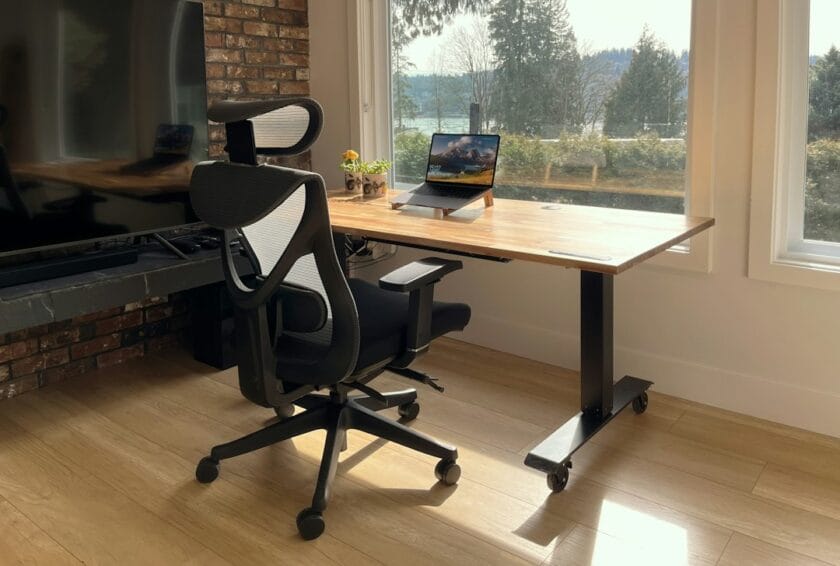
Ergonomic Chair or Standing Desk: Which Is Actually Worth It for WFH in the Philippines? (2026 Price-Tier Guide)
Sulit verdict: The chair, almost always — a properly built ergonomic chair in the ₱3,000–₱5,000 range fixes more posture and pain problems per peso than anything else you can buy for a home workstation. A standing desk is a separate, bigger purchase, and it’s only worth it once you already know you want to alternate sitting and standing through a long shift. Try a cheap desktop riser on the desk you already own before you commit to a full electric sit-stand upgrade — most people get most of the benefit without buying a new desk at all.
Work-from-home and hybrid setups stopped being a pandemic footnote a while ago — they’re just how a huge slice of Filipino desk work happens now. The country’s IT-BPM sector alone is tracking toward close to 2 million jobs in 2026, most of them spent sitting in front of a screen for 8 hours or more a shift, per industry projections reported by SunStar and Philstar. Add every freelancer, student, and online seller running their business from a bedroom desk, and the dining chair or plastic monobloc a lot of households default to is quietly costing people real money in bad sleep, physical therapy, and sick days.
As of October 7, 2026, here’s what actually separates a chair that’s worth the upgrade from one that isn’t, what a standing desk gets you that a chair can’t, and where to put your budget first.
Ergonomic Chair Price Tiers: What You Actually Get at Each Level
| Price Tier | What You Actually Get | Verdict |
|---|---|---|
| Under ₱1,500 | Thin plastic frames prone to cracking, low-density foam that compresses fast, no real lumbar support, Class 2/3 gas lifts that lose pressure within months | Skip entirely — not built for daily full-time use |
| ₱3,000–₱5,000 | Certified gas lift, contoured backrest, breathable mesh back, basic tilt mechanism, fixed or 1D armrests, standard PU foam cushioning | The realistic minimum for full-time WFH — the actual sulit sweet spot |
| ₱8,000–₱15,000 | Multi-dimensional lumbar (vertical + depth), 3D/4D armrests, seat-depth slider, synchro-tilt, high-density molded foam, reinforced nylon/aluminum base, Class 4 gas lift, 120–150kg weight capacity, multi-year warranty on mechanical parts | Worth the upgrade if you sit more than 4 hours a day |
Two real products referenced in Lazada Philippines’ own buying-guide pages give a sense of where actual listings land inside these tiers: an iDesk chair at ₱8,910.71, and a Maitian recliner at ₱4,693.00 (discounted from ₱6,136.00), per Lazada Philippines’ entry-level chair guide, dated July 15, 2026.
Heads Up: Marketplace prices move constantly with flash sales, vouchers, and seller promos. Treat the ranges above as a feature-to-price map for comparison shopping, not a locked-in quote — check the current listing price before you buy.
Sulit Tip: The single biggest tell for a chair that won’t survive a year of daily use isn’t the fabric or the color — it’s the gas lift class and the armrest type. A fixed armrest and an unbranded gas lift are the two most common corners cut to hit a price point under ₱3,000, per Lazada’s mid-tier buying guide, dated August 17, 2026. If a listing doesn’t mention either, assume the cheaper version of both.
Why the Chair Matters More Than People Think
Philippine law already treats “ergonomical safety” as a formal workplace hazard category, not a nice-to-have. Republic Act No. 11058, the Occupational Safety and Health Standards Act, requires employers to furnish workers “a place of employment free from hazardous conditions that are causing or are likely to cause death, illness or physical harm,” and explicitly lists ergonomical safety alongside chemical, electrical, and mechanical safety as something workers must be informed and trained about, per the full text of RA 11058 on LawPhil.
That law is written for a physical “place of employment” — a company office or site — and how far it extends to a home workstation for a remote employee is a genuinely unsettled question that this guide won’t guess at on your behalf. But the standard it sets is still the right one to hold your own setup to: an untrained, unsupported sitting position for 8+ hours a day is a recognized occupational hazard everywhere else in the law, and a dining chair or plastic stool doesn’t stop being one just because you’re sitting in it at home instead of in a cubicle.
Standing Desk or Desktop Riser? What the Chair Can’t Fix
A chair, no matter how good, only solves half the problem: it makes sitting less damaging. It doesn’t let you stop sitting. That’s what a standing desk setup is actually for — alternating position through the day, not standing for 8 hours straight (which creates its own set of problems).
There are two real paths here, and they’re not the same purchase. A full electric sit-stand desk is typically sold in single-motor configurations — lighter duty, narrower desktops around 100–120cm, suited to a single monitor and a compact room — or dual-motor configurations, which lift more weight more quickly and suit a dual-monitor or heavier equipment setup, per Lazada’s FlexiSpot desk buying guide, dated June 22, 2026. Specific peso pricing for these varies too much by motor configuration, brand, and ongoing promo to state a reliable figure here — check the current listing directly before budgeting around a number.
The cheaper, lower-commitment path is a desktop standing converter: a riser that sits on top of the desk you already own and lifts your keyboard and monitor to standing height, then folds back down. It costs a fraction of a full electric desk, needs no extra floor space, and lets you actually test whether you use a standing position often enough to justify the bigger purchase later.
Good to Know: Most people who buy a full standing desk without testing the habit first end up leaving it in the sitting position permanently within a few months. Try the habit with a riser or even just a stack of sturdy boxes for two or three weeks before you spend on the electric version.
Who Should Actually Prioritize Which Purchase
Buy the chair first if you don’t already have one built for all-day sitting — this covers almost everyone reading a guide like this one. It’s the purchase with the clearest, fastest payoff in reduced lower-back and neck strain.
Add a standing option next if you already have a decent chair and still deal with stiffness, if you sit for 8+ consecutive hours in a single shift (common in BPO and call-center-style roles), or if you’ve been told by a doctor or physical therapist to vary your position through the day. Start with a riser, not a full desk, unless you’re certain you’ll use the standing position daily.
Skip both for now if your current setup is genuinely comfortable and you have no pain, numbness, or stiffness after a full shift — there’s no ergonomic purchase that fixes a problem you don’t have.
Worked Scenario: A Call Center Agent on an 8-Hour Shift With a ₱6,000 Budget
Say you work a BPO night shift, sit close to 8 hours a night including breaks, and have ₱6,000 set aside to improve your home workstation. Do you split it between a cheap desk riser and a basic chair, or put all of it into one good chair?
Put it all into the chair. At ₱6,000, you’re solidly inside the ₱3,000–₱5,000 “actually built for daily use” tier with room to spare, and you’ll be sitting in that chair for every one of those 8 hours — it’s doing far more work than a riser would at this budget. A riser bought at the expense of chair quality (say, a ₱1,500 chair plus a ₱4,500 riser) leaves you standing on a better surface but sitting in a chair that won’t hold up, which defeats the purpose for the 6+ hours a shift you’ll still spend seated. Save toward the riser separately once the chair is handled.
Sulit Tip: If your employer provides any home-office or equipment allowance, ask whether it covers ergonomic furniture before you spend your own money — some BPO employers already do, specifically because of the hazard RA 11058 names.
Also Worth Checking
If your WFH setup has other weak points besides the chair, our pocket WiFi vs. postpaid home fiber guide covers the internet side of a reliable home workstation, and our co-working space membership guide is worth a look if the real problem is your household, not your furniture. If haze or poor indoor air is part of what’s making long desk sessions uncomfortable, our air purifier guide breaks down whether that purchase is worth it too. For more of this kind of value-first breakdown, head back to more sulit finds.
Frequently Asked Questions
Is an ergonomic chair actually worth it for working from home in the Philippines?
Yes, for anyone sitting more than a couple of hours a day without one — a chair in the ₱3,000–₱5,000 range already includes a certified gas lift, real lumbar support, and breathable mesh, which is the realistic floor for daily full-time use. Anything under roughly ₱1,500 is built for occasional use and tends to fail within months of daily sitting.
Should I buy a standing desk or an ergonomic chair first?
The chair first, in almost every case. It solves the bigger and more immediate problem (bad support for the hours you’re already sitting), costs less, and you’ll use it for your entire shift rather than just the portions you choose to stand. Add a standing option only after the chair is handled.
Is a desktop standing converter a good substitute for a full standing desk?
For most home workers, yes, at least as a starting point. A riser sits on your existing desk, costs a fraction of an electric sit-stand desk, and lets you test whether you’ll actually use a standing position regularly before committing to the bigger purchase.
Does Philippine law require employers to provide ergonomic furniture for remote workers?
Republic Act No. 11058 requires employers to provide a hazard-free workplace and names ergonomical safety as a required training and hazard category, but it’s written around a physical “place of employment” and how far that extends to a home workstation for a remote or hybrid employee isn’t clearly settled. Some employers provide equipment allowances voluntarily; it isn’t a guaranteed right for every remote role.
Verified Sources Used
LawPhil — Republic Act No. 11058: Confirmed the general employer duty to furnish a hazard-free workplace and the explicit legal recognition of “ergonomical safety” as a required worker-safety training and hazard category.
SunStar and Philstar: Confirmed the Philippine IT-BPM sector’s 2026 employment projections (near 2 million jobs), used as context for the scale of desk-based work in the country.
Lazada Philippines (entry-level chair guide, July 15, 2026): Confirmed the feature set and realistic price floor for sub-₱5,000 ergonomic chairs, plus specific referenced product prices.
Lazada Philippines (mid-tier chair guide, August 17, 2026): Confirmed the feature differences between budget (under ₱4,000) and ₱8,000–₱15,000 ergonomic chair tiers.
Lazada Philippines (FlexiSpot standing desk guide, June 22, 2026): Confirmed single-motor vs. dual-motor standing desk configuration differences.