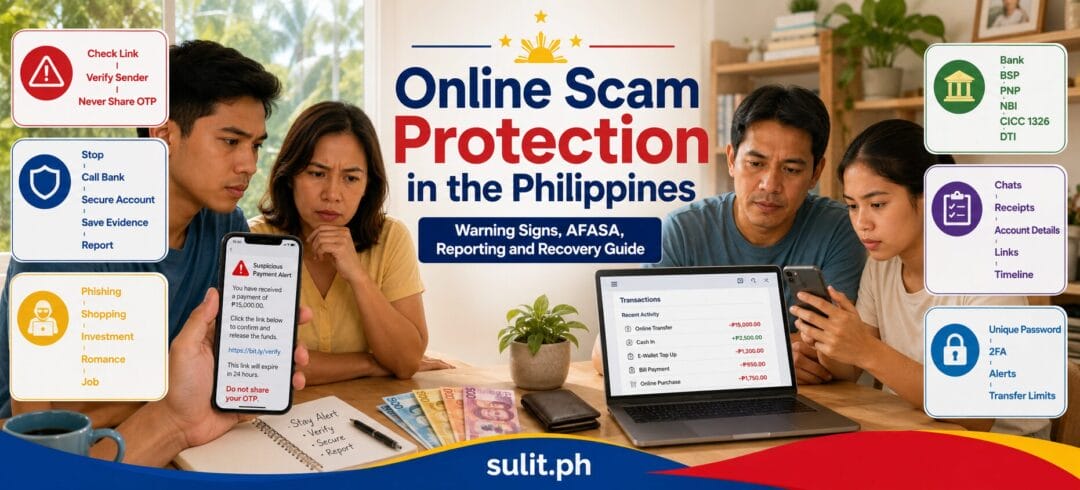
Online Scam Protection in the Philippines: 2026 Guide
Complete Guide to Online Scam Protection in the Philippines
Online scam protection starts with one simple rule: never send money, disclose an OTP or approve a transaction until you have independently verified the person, business and payment request.
When a scam has already happened, contact your bank or e-wallet immediately, secure your accounts, preserve every piece of evidence and report the incident to the appropriate Philippine authorities. Acting within minutes or hours gives financial institutions a better chance of stopping or tracing the transaction.
Emergency action: If money was transferred, call the bank or e-wallet provider first. Do not wait for the scammer to reply, return the money or explain what happened.
Online Scam Protection at a Glance
| Situation | First action | Next action |
|---|---|---|
| Suspicious text or message | Do not click the link | Verify through the company’s official app or website |
| Seller asks for direct payment | Pause the transaction | Check the seller, account name and platform protections |
| OTP or password was disclosed | Change credentials immediately | Contact the bank or service provider |
| Unauthorized transfer appears | Call the financial institution | Request account restriction and transaction investigation |
| Social-media account was taken over | Reset the password and end active sessions | Warn contacts about possible scam messages |
| Money was sent to a scammer | Report the recipient account immediately | Preserve evidence and file official reports |
| Fake product or undelivered order | Use the marketplace dispute channel | Escalate unresolved consumer complaints to DTI |
| Bank or e-wallet complaint remains unresolved | Keep the case reference number | Escalate through the BSP Consumer Assistance Mechanism |
Understanding the Online Scam Landscape in the Philippines
Filipinos use mobile banking, e-wallets, online marketplaces, messaging apps and social media for everyday transactions. This creates speed and convenience, but it also gives criminals several doors through which to approach potential victims.
The Department of Information and Communications Technology reported that the national 1326 anti-scam hotline received more than 10,000 scam-related reports during 2024. Government monitoring also identified online swindling or estafa as a major cyber-related crime category, even as reported incidents declined in the 2023-to-2024 comparison.
Common online scams targeting Filipinos include:
E-commerce scams
A fake seller advertises an attractive product, requests advance payment and disappears after receiving the funds. Other versions involve counterfeit products, parcels that contain the wrong item or off-platform payment requests designed to remove marketplace protection.
Phishing and account-takeover scams
The victim receives a message claiming that a bank, e-wallet, delivery service or government account requires verification. The linked page collects passwords, card details, personal information or OTPs.
Investment and cryptocurrency scams
Fraudsters advertise guaranteed profits, fast returns or exclusive trading systems. Early withdrawals can be allowed to build confidence before the victim is encouraged to deposit a larger amount.
Romance and relationship scams
A scammer develops an emotional connection through a dating app or social-media account. The requests for money begin after trust has been established, commonly using medical emergencies, travel expenses, customs charges or business problems as the reason.
Job and task scams
Victims are offered easy online work, paid review assignments or product-boosting tasks. Small initial payouts can be used as bait. Larger deposits are later demanded to unlock commissions or withdraw supposed earnings.
Impersonation scams
Scammers pretend to be relatives, executives, government employees, bank representatives, police officers or delivery personnel. Artificial intelligence, stolen photos and compromised accounts can make these messages appear convincing.
Money-mule recruitment
A person is paid to lend, sell or temporarily use a bank account, e-wallet, SIM or online banking credentials. The account can then be used to receive and transfer criminal proceeds.
Do not rent, sell or lend a financial account. Even when the account owner claims not to know the source of the funds, allowing another person to control the account can create serious legal exposure under the Anti-Financial Account Scamming Act.
Republic Act No. 12010: The Anti-Financial Account Scamming Act
Republic Act No. 12010, known as the Anti-Financial Account Scamming Act or AFASA, was signed into law on July 20, 2024 and published in August 2024. It created a dedicated legal framework for financial-account scams and the use of bank accounts, e-wallets and other financial accounts in fraudulent activity.
AFASA covers financial accounts maintained with banks, non-bank financial institutions, e-wallet providers and other regulated payment or financial-service providers. Its implementing framework was expanded through Bangko Sentral ng Pilipinas regulations issued in 2025.
What activities does AFASA prohibit?
The law penalizes activities connected to money muling and social-engineering schemes, including prohibited uses of financial accounts.
Examples include:
- Allowing another person to use or control a financial account
- Buying, selling, renting or lending an account
- Opening an account under a false identity
- Using another person’s identity to open or control an account
- Recruiting people to provide accounts for fraudulent transfers
- Using phishing, impersonation or deceptive communication to obtain account access
- Receiving or transferring funds connected to a scam operation
AFASA also gives the BSP authority to investigate financial accounts connected to suspected violations and to establish rules for information sharing with law-enforcement agencies. The law allows regulated institutions to apply risk controls to suspicious transactions and accounts, subject to the applicable regulations and procedures.
How is AFASA different from the Cybercrime Prevention Act?
Republic Act No. 10175, the Cybercrime Prevention Act, covers a wider range of offenses involving computer systems, electronic data and online conduct.
AFASA focuses specifically on the financial infrastructure used in scams. It addresses the accounts, transactions, account owners, money mules and social-engineering activity that allow stolen funds to move through banks and payment systems.
A person can face liability under AFASA and other applicable laws. AFASA expressly states that prosecution under the Act does not prevent prosecution under the Revised Penal Code, the Access Devices Regulation Act, the Anti-Money Laundering Act or the Cybercrime Prevention Act.
Does AFASA guarantee reimbursement?
No. AFASA strengthens investigation, prevention and enforcement, but it does not automatically guarantee that every scam victim will receive a refund.
The result depends on several factors:
- Whether the transaction was authorized or unauthorized
- How quickly the incident was reported
- Whether the funds remain in the recipient account
- Whether the recipient account can be frozen or restricted
- The institution’s investigation and applicable terms
- Whether the customer disclosed an OTP, password or security credential
- The available evidence
- The involvement of law-enforcement agencies
- The court or administrative process required for recovery
How to Identify an Online Scam Before It Targets You
Most scams depend on emotion moving faster than verification. The message is designed to create urgency, fear, excitement, affection or greed before the victim pauses to examine the request.
Watch for these universal warning signs
- You are pressured to act immediately.
- You are told to keep the transaction secret.
- Payment must be sent to a different person’s account.
- The account name does not match the seller or business.
- You are asked for an OTP, PIN, password or recovery code.
- A stranger promises guaranteed investment returns.
- You must pay money before receiving a prize, loan or job.
- The offer is far cheaper than comparable listings.
- The person refuses a video call, inspection or platform checkout.
- You are asked to install screen-sharing or remote-access software.
- A supposed bank representative contacts you from an ordinary mobile number.
- The message contains a link that does not use the organization’s official domain.
- You are asked to move the conversation away from the marketplace.
- A supposed relative suddenly requests money through a new account.
Marketplace Scam Warning Signs
When buying through Shopee, Lazada, Facebook Marketplace or another selling platform, examine the complete transaction rather than relying on profile age or a few positive comments.
Before paying an online seller
- Check how long the account has existed.
- Review previous listings and completed transactions.
- Look for repeated, generic or suspiciously similar reviews.
- Search the seller’s name, mobile number and payment account.
- Compare the price with other sellers.
- Request current photos showing the actual item.
- Ask for a photo containing a handwritten date or reference.
- Confirm the account name before sending payment.
- Use the platform’s checkout and dispute system.
- Avoid advance payment for meet-up transactions.
- Inspect expensive items before releasing payment.
- Keep the discussion inside the platform when possible.
A legitimate-looking ID is not proof that the person sending it is the ID owner. Scammers frequently use stolen identification documents collected from earlier victims.
Bank and E-Wallet Scam Warning Signs
Banks and e-wallet providers do not need your OTP, password or MPIN to reverse a transfer, investigate a complaint or verify your account.
Treat these messages as dangerous:
- “Your account will be suspended today.”
- “Your SIM registration has expired.”
- “You have an unclaimed cash reward.”
- “Your account requires immediate verification.”
- “A refund is waiting. Enter your OTP.”
- “We detected a transfer. Install this security app.”
- “Share your screen so we can fix the problem.”
- “Move your money to a safe account.”
Open the official app manually or type the institution’s official website address yourself. Do not use the link supplied in the message.
Fake Government Communication Warning Signs
Scammers can impersonate the BIR, SSS, PhilHealth, Pag-IBIG Fund, LTO, NBI, PNP, DSWD, DICT or another government agency.
Be cautious when a message:
- Demands payment through a personal bank or e-wallet account
- Offers an unexpected government subsidy
- Threatens arrest through text or chat
- Requests an OTP or online banking password
- Uses a shortened or misspelled link
- Demands a fee to remove a supposed violation
- Claims that a parcel contains illegal goods
- Requests payment in cryptocurrency, gift cards or prepaid credits
Verify the notice using the agency’s official website, published hotline or physical office. Do not rely on the contact information contained in the suspicious message.
Investment Scam Warning Signs
A registered company can still promote an unregistered or unauthorized investment. A business registration alone does not prove that an entity has authority to solicit investments from the public.
Stop and investigate when you see:
- Guaranteed daily, weekly or monthly returns
- “Zero-risk” investment claims
- Earnings based heavily on recruiting new members
- Pressure to invest before a deadline
- Celebrity endorsements that cannot be independently confirmed
- A requirement to deposit more money before withdrawing
- Fake trading dashboards showing profits
- Requests to send cryptocurrency to a personal wallet
- Claims that a regulator has endorsed the scheme
- Advice to conceal the transaction from your bank
Practical Online Scam Prevention Strategies
Use a unique password for every important account
Your email, banking, social-media and marketplace accounts should not share the same password. A breach affecting one service can otherwise unlock several parts of your digital life.
A password manager can generate and store long, unique passwords. Protect the password manager itself with a strong master password and multi-factor authentication.
Turn on two-factor authentication
Enable two-factor authentication for:
- Primary email
- Banking and e-wallet accounts
- Social-media accounts
- Online marketplaces
- Cloud storage
- Messaging apps
- Password managers
An authenticator app or hardware security key provides stronger protection than SMS where the service supports it.
Protect your email account first
Your email is the skeleton key to many online accounts. A criminal who controls it can request password resets, intercept security alerts and impersonate you.
Review:
- Recovery email addresses
- Recovery mobile numbers
- Active sessions
- Connected applications
- Email forwarding rules
- Recently deleted messages
- Password-reset activity
Never share an OTP
An OTP authorizes a login, password reset or transaction. It is not a tracking number, refund code or verification reference.
Anyone asking for your OTP should be treated as an account-takeover threat.
Separate everyday and savings accounts
Keep only the amount needed for regular transactions in the account connected to frequently used apps and online services. Maintain larger savings in an account with stricter access and transaction controls.
This does not stop scams, but it can limit the amount exposed if one account is compromised.
Enable transaction alerts and limits
Turn on alerts for:
- Account logins
- Password changes
- New-device enrollment
- Fund transfers
- Card purchases
- Cash withdrawals
- Contact-detail changes
Set daily transfer limits at a level that supports your normal spending. A lower limit creates an additional barrier against a large unauthorized transfer.
Keep apps and devices updated
Security updates close vulnerabilities used by malicious applications and attackers. Install banking and e-wallet apps only from official application stores.
Avoid:
- Cracked software
- Unofficial app files
- Modified banking applications
- Unknown browser extensions
- Remote-access apps requested by strangers
- Public charging stations that require data access
Verify payment details twice
Before confirming a transfer:
- Read the recipient’s full account name.
- Confirm the account number through a second channel.
- Recheck the amount.
- Add a clear transaction note where available.
- Take a screenshot of the confirmed details.
- Send a small test amount for high-value transfers when practical.
Create a family verification phrase
Families can agree on a private phrase that must be provided during urgent money requests. This helps defend against hacked accounts, impersonation and AI-generated voice scams.
The phrase should not be visible on social media and should be changed if disclosed.
Teach children and older family members a pause routine
Use a simple rule:
Stop. Do not click. Do not pay. Call a trusted person.
Family members should know that legitimate organizations will allow them to end a call and verify a request independently.
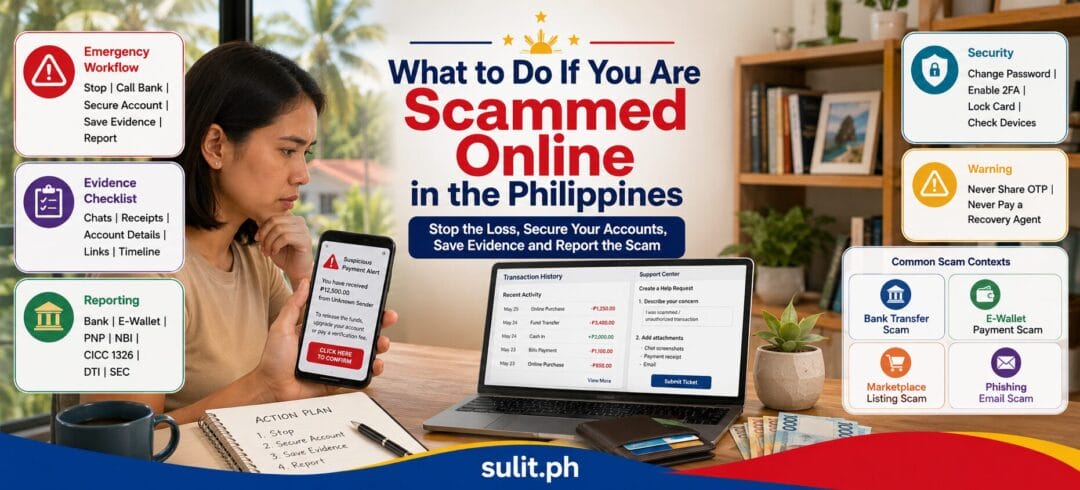
What to Do If You Are Scammed Online
1. Stop communicating with the scammer
Do not send another payment to unlock a withdrawal, recover an account, pay a tax or fund an investigation.
“Recovery agents” who contact victims after a scam can be part of a second scam.
2. Contact the financial institution immediately
Call the bank, card issuer, remittance service, cryptocurrency platform or e-wallet provider using its official support channel.
Ask the institution to:
- Restrict or secure the affected account
- Block cards or payment instruments
- Review active sessions and registered devices
- Investigate the disputed transaction
- Trace or recall the transfer where available
- Notify the receiving institution
- Preserve transaction and account records
- Provide a case or reference number
- Explain the dispute and complaint process
Financial consumers are expected to raise the concern first through the institution’s Financial Consumer Protection Assistance Mechanism. Unresolved complaints involving BSP-supervised institutions can then be escalated through the BSP Consumer Assistance Mechanism.
3. Secure affected accounts
Change passwords using a clean, trusted device.
Start with:
- Primary email
- Bank and e-wallet accounts
- Mobile account or SIM services
- Social-media accounts
- Marketplace accounts
- Cloud storage
- Other accounts using the same password
End all active sessions, remove unknown devices and revoke suspicious third-party application access.
4. Preserve evidence
Do not delete the conversation, account, listing or application until the evidence has been saved.
Collect:
- Screenshots of the complete conversation
- The profile name and profile link
- Usernames and account IDs
- Mobile numbers and email addresses
- Product listings and advertisements
- Payment instructions
- Bank or e-wallet account details
- Transaction receipts and reference numbers
- Dates and exact times
- Website addresses
- Delivery information
- Voice recordings already lawfully obtained
- Emails with full headers where available
- Photos of IDs sent by the scammer
- Customer-support case numbers
- Copies of your complaints and responses
- A written timeline of events
Save original files. Avoid editing, cropping or annotating the only copy.
5. Warn relevant contacts
Inform friends, family, coworkers or customers when an account has been compromised. Tell them not to send money or follow payment instructions received from the affected account.
6. Report the fraudulent profile or listing
Use the reporting tool provided by the social network, marketplace, messaging service or website host.
Platform reporting does not replace a complaint to the bank or law-enforcement agency, but it can reduce the scammer’s access to future victims.
Where to Report Online Scams in the Philippines
Different organizations handle different parts of a scam. A victim can report the same incident to several agencies when their responsibilities overlap.
| Agency or organization | Report here when |
|---|---|
| Bank, card issuer or e-wallet | Money was transferred, an account was accessed or a transaction is disputed |
| BSP | A complaint against a BSP-supervised institution remains unresolved |
| PNP Anti-Cybercrime Group | The incident involves online fraud, phishing, account takeover or other cybercrime |
| NBI Cybercrime Division | The matter requires cybercrime investigation, digital evidence or a broader case review |
| CICC | You need national anti-scam assistance, coordination or initial reporting |
| DTI | The dispute involves an online seller, product, service or consumer transaction |
| Marketplace or social platform | A profile, page, advertisement or listing violates platform rules |
| Mobile network | A SIM, SMS message or mobile number is being used for fraud |
Report first to your bank or e-wallet
For unauthorized or fraudulent transfers, the financial institution is the first operational contact. It controls the account, transaction records, access logs and initial dispute process.
Record the time you called, the representative’s name and the reference number.
Escalate unresolved financial complaints to the BSP
The BSP Consumer Assistance Mechanism handles complaints involving BSP-supervised financial institutions after the consumer has first attempted to resolve the issue directly with the institution.
Complaints can be submitted using the BSP Online Buddy or the official Complaint, Inquiry and Request form. The BSP also publishes consumeraffairs@bsp.gov.ph as a consumer-assistance channel. Supporting documents should include the original complaint filed with the institution, its response and evidence supporting the claim.
Report cybercrime to the PNP Anti-Cybercrime Group
The PNP Anti-Cybercrime Group investigates offenses committed through information and communications technology.
The BSP’s current consumer complaint guide lists the PNP Anti-Cybercrime Group at Camp Crame and publishes acg@pnp.gov.ph as a reporting contact.
Bring or submit:
- Government-issued identification
- A written incident summary
- Screenshots and chat records
- Transaction receipts
- Recipient account information
- Links to profiles, pages and websites
- Bank or e-wallet complaint references
- The device involved, when requested
File with the NBI Cybercrime Division
The National Bureau of Investigation accepts online complaints and maintains a Cybercrime Division. Its official directory publishes ccd@nbi.gov.ph for the division.
NBI reporting is relevant when:
- The scam involves several victims
- The suspect operates across locations
- Digital forensic examination is required
- The incident forms part of a larger fraud network
- The victim needs investigative assistance for a formal complaint
The NBI’s official contact page lists its main office at Filinvest Cyberzone Bay in Pasay City and the hotline (02) 8523-8231.
Contact the CICC through the 1326 hotline
The Cybercrime Investigation and Coordinating Center supports national coordination against cybercrime. The 1326 hotline serves as the national anti-scam reporting and assistance channel.
The BSP complaint guide also lists report@cicc.gov.ph as a CICC reporting address.
File a DTI consumer complaint
A DTI complaint is relevant when the issue involves:
- An undelivered product
- A defective or misrepresented item
- A seller refusing an applicable remedy
- Deceptive sales practices
- An online merchant dispute
- A product or service covered by consumer-protection rules
Start with the marketplace or merchant’s dispute process. Preserve the listing, proof of payment, order record, delivery information and communication with the seller.
A DTI complaint is not a replacement for a police or cybercrime report when the transaction involves deliberate fraud, identity theft or a coordinated scam.
PNP, NBI, CICC, DTI or BSP: Which One Should You Choose?
You do not always need to choose only one.
Use this decision path:
- Bank or e-wallet first: Money moved through a financial account.
- BSP: The regulated institution has not resolved your complaint.
- PNP Anti-Cybercrime Group: You need to report an online criminal incident.
- NBI Cybercrime Division: The case requires detailed investigation or involves a wider fraud operation.
- CICC 1326: You need anti-scam assistance and inter-agency coordination.
- DTI: The dispute concerns a seller, merchant, product or service.
- Platform: You need a fraudulent profile, page, advertisement or listing removed.
Can You Recover Money Lost to an Online Scam?
Recovery is possible, but it is never guaranteed.
The best chance exists when:
- The transaction is reported immediately
- The recipient account still holds the funds
- The receiving institution can restrict the account
- The transfer can be recalled
- The card transaction qualifies for a dispute or chargeback
- The identity and account trail are preserved
- Several victims report the same operation
- Authorities can trace and seize assets
Recovery becomes more difficult when:
- Funds have been withdrawn in cash
- The money passed through several mule accounts
- Cryptocurrency was transferred to an external wallet
- The victim waited several days before reporting
- The scammer operates outside the Philippines
- The victim lacks transaction records
- The payment was voluntarily approved after the victim disclosed security credentials
Credit-card disputes
Contact the card issuer immediately. Ask whether the transaction can be disputed and whether the card must be replaced.
A chargeback is not automatic. The issuer will evaluate the transaction, authentication records, merchant response and applicable card-network rules.
Bank transfers and e-wallet payments
Ask the sending institution to notify the receiving institution and attempt a hold, trace or recall.
Do not assume that a transfer marked “successful” is permanently unrecoverable. Report it anyway. Fast reporting can help institutions identify the receiving account and preserve the trail.
Small claims
The Philippine small-claims process can provide a civil remedy for eligible monetary claims when the defendant can be identified and served.
Small claims are not a magic recovery route for anonymous scammers. They become more practical when the victim knows the defendant’s identity and address and has documentary proof of the obligation.
Online Scam Evidence Checklist
Before submitting a complaint, prepare one folder containing:
- Government-issued ID
- One-page incident summary
- Chronological timeline
- Total amount lost
- Transaction receipts
- Bank or e-wallet statement
- Recipient name and account number
- Mobile numbers
- Email addresses
- Usernames
- Profile and listing links
- Screenshots of conversations
- Copies of advertisements
- Customer-support reference numbers
- Password-change and security notifications
- Copies of previous reports
- Requested resolution
Use clear filenames such as:
01-incident-summary.pdf02-transaction-receipt.jpg03-chat-conversation-part-1.png04-scammer-profile.png05-bank-complaint-reference.pdf
A tidy evidence package makes the complaint easier to understand and reduces the chance that an important detail disappears into a screenshot jungle.
Daily Online Scam Protection Checklist
Before paying or sharing information, ask:
- Do I know who I am dealing with?
- Did I verify the request through a separate channel?
- Does the account name match the person or business?
- Am I being rushed?
- Am I being asked to keep the transaction secret?
- Is the price or return realistic?
- Am I being asked for an OTP or password?
- Am I being moved outside a protected platform?
- Can I inspect the item or verify the service?
- Would I still proceed if the offer disappeared tomorrow?
When two or more warning signs appear, stop the transaction.
Frequently Asked Questions
What should I do immediately after being scammed online?
Contact the bank, e-wallet or payment provider immediately. Ask it to secure the account, investigate the transfer and notify the receiving institution. Change affected passwords, preserve all evidence and report the incident to the appropriate cybercrime authority.
Can I get my money back after an online scam?
Recovery is possible when the transaction is reported quickly and the funds remain traceable. A refund is not guaranteed. The financial institution, authorities and available evidence determine the possible remedies.
Where can I report an online scam in the Philippines?
Report financial transactions to the bank or e-wallet first. Cybercrime can be reported to the PNP Anti-Cybercrime Group, NBI Cybercrime Division or CICC through 1326. Unresolved complaints against BSP-supervised institutions can be escalated to the BSP. Consumer disputes involving merchants can be filed with DTI.
What is Republic Act No. 12010?
Republic Act No. 12010 is the Anti-Financial Account Scamming Act. It penalizes financial-account scamming, money-mule activity and related social-engineering schemes and gives the BSP additional investigative and enforcement authority.
Are banks automatically responsible for unauthorized transactions?
No. Liability is determined through the institution’s investigation, the transaction records, applicable regulations, security controls and the circumstances of the incident. Consumers should report the transaction immediately and complete the institution’s complaint process.
What evidence is needed for an online scam complaint?
Prepare screenshots, chat logs, transaction receipts, account details, phone numbers, email addresses, profile links, advertisements, customer-support references and a written timeline. Preserve original files and devices where possible.
How long does an online scam investigation take?
There is no single resolution period for every case. Timelines depend on the institutions involved, transaction path, available evidence, suspect identification, number of victims and whether court orders or cross-border coordination are required.
Can I be charged for lending my account to another person?
Yes. Allowing an account to be controlled or used for fraudulent financial activity can fall within AFASA’s prohibited money-mule conduct. Do not lend, rent, sell or open an account for another person.
Final Reminder
Scammers win by compressing the victim’s decision-making time. They want the payment sent before the story is checked, the link opened before the domain is examined and the OTP shared before the victim understands what it approves.
Slow the transaction down.
Verify the person through another channel. Open the official app yourself. Confirm the account name. Ask a trusted person to review the request. A five-minute pause can prevent months of financial, legal and emotional cleanup.