How to Start Selling Online in the Philippines: 2026 Guide
How to Start Selling Online in the Philippines: Beginner’s Guide
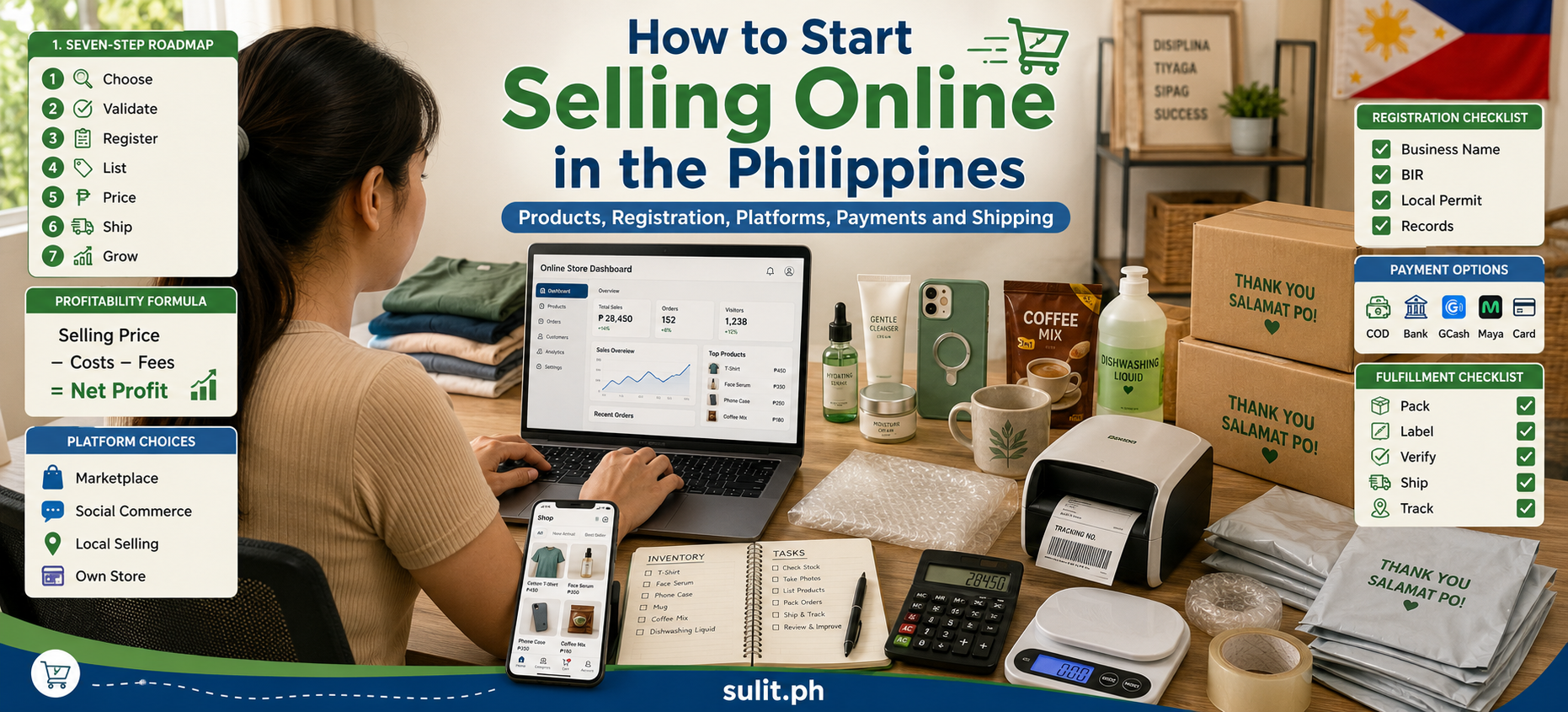
To start selling online in the Philippines, choose a product with proven demand, calculate your actual profit per order, register the business when you are operating commercially, select the right selling platform, prepare your payment and delivery systems, and launch a small batch of optimized listings.
You do not need a warehouse, a large inventory or a polished website on your first day. You need a product people want, enough margin to absorb selling costs, and a repeatable system for receiving, packing and fulfilling orders.
This guide updates the uploaded outline into a practical 2026 roadmap for Filipino beginners. The original brief covers legal requirements, product sourcing, platform selection, store setup, logistics and first-sale marketing.
Quick Roadmap for Starting an Online Business
| Stage | What You Need to Do | Main Output |
|---|---|---|
| 1. Choose a market | Identify a specific customer and problem | Product idea |
| 2. Validate demand | Check search activity, competitors and pricing | Shortlist of products |
| 3. Calculate profit | Include product, packaging, fees, shipping support and returns | Target selling price |
| 4. Register properly | Complete the registrations applicable to your business structure | Legal business setup |
| 5. Choose a channel | Select a marketplace, social platform or website | Selling platform |
| 6. Build listings | Prepare photos, titles, descriptions and variations | Publishable product pages |
| 7. Set up fulfillment | Arrange payments, packaging and couriers | Order workflow |
| 8. Launch and improve | Promote, respond quickly and review performance | First sales and data |
Why Start Selling Online in the Philippines?
Online selling gives small Philippine businesses access to customers beyond their immediate barangay, municipality or city. A home-based seller can now reach buyers nationwide without renting a traditional retail space.
The Philippine Statistics Authority reported that the country’s digital economy contributed 9.8% of the national economy in 2025. The PSA also reported that the digital economy accounted for 8.5% of GDP in 2024, showing its continuing role in commerce, services and consumer activity.
This does not mean every online shop becomes profitable. Competition is intense, platform deductions can erode margins, and products that look promising can sit unsold for months. Online selling reduces the cost of reaching buyers, but it does not remove the need for product research, pricing discipline and customer service.
Online selling works particularly well for:
- Existing retailers looking for another sales channel
- Home-based food, craft or clothing businesses
- Importers and local distributors
- Manufacturers selling directly to consumers
- Freelancers packaging their expertise as a service
- Individuals testing a small business before opening a physical store
The strongest beginner strategy is to start with a focused offer. A store selling ten carefully chosen products is easier to manage than one carrying hundreds of unrelated items.
Essential Requirements Before You Start Selling Online
A person occasionally selling a used phone or old household item is different from someone continuously acquiring, producing or promoting goods for profit.
Philippine e-commerce rules treat continuous selling for income, organized branding and other commercial activities as indicators of a business-to-consumer transaction.
1. Decide on Your Business Structure
Most individual beginners start as a sole proprietorship. Other structures include partnerships, corporations and cooperatives.
| Business Structure | Registration Authority | Common Use |
|---|---|---|
| Sole proprietorship | Department of Trade and Industry | Individual owner operating a small business |
| Partnership or corporation | Securities and Exchange Commission | Multiple owners, investors or a separate corporate entity |
| Cooperative | Cooperative Development Authority | Member-owned cooperative enterprise |
DTI’s e-commerce guidance states that sole proprietors register their business names with DTI, corporations and partnerships register with the SEC, and cooperatives register with the CDA.
2. Register Your Business Name
DTI business-name registration applies to sole proprietors using a business name. Registration can be completed through the Business Name Registration System, which supports online application, payment and certificate downloading.
A DTI business-name certificate does not complete the entire business-registration process. Depending on your setup and location, you will also need to address barangay, local-government and tax requirements.
3. Complete BIR Registration
There is no dependable “small hobby seller” income threshold that automatically exempts an ongoing commercial business from registration.
DTI’s e-commerce guidance states that businesses must comply with Philippine tax obligations. BIR rules also require online sellers to register the store or business name used on online pages, websites and e-commerce platforms.
The BIR provides online registration channels through the NewBizReg Portal and the Online Registration and Update System, depending on the taxpayer’s applicable process.
Online marketplaces can require sellers to provide proof of tax registration. Revenue Regulations No. 3-2025 specifically refers to a Certificate of Registration containing the seller’s TIN and taxpayer details.
Important: Registering a business name and registering as a taxpayer are separate steps. One does not automatically complete the other.
4. Check Local Permits
Your city or municipality can require a barangay clearance, mayor’s or business permit, zoning approval and other documents based on your business activity and registered address.
Requirements differ by local government and by business type. Food production, cosmetics, health products, electronics and regulated goods can require additional permits or approvals.
Ask your local Business Permits and Licensing Office for the current checklist before signing a long-term lease, renovating a workspace or buying major inventory.
5. Prepare Your Business Records
Create a simple system for:
- Purchases and supplier invoices
- Sales and platform statements
- Shipping expenses
- Packaging costs
- Advertising expenses
- Refunds and returns
- Taxes and government payments
- Inventory movement
- Customer orders
Do not mix every business transaction with personal spending. A separate bank account or digital-wallet arrangement makes reconciliation far less chaotic.
6. Protect Customer Information
Online sellers handle names, phone numbers, delivery addresses, messages and payment-related information.
Collect only what is necessary to process the order. Do not publicly post waybills, customer addresses, identification cards or screenshots containing private information. Limit staff access to customer records and remove data that no longer needs to be retained.
How to Choose Products to Sell Online
The best product is not simply the one receiving the most views. It is the one that produces enough demand and margin for your business to survive after all costs.
Start With a Specific Customer
Instead of asking, “What product is popular?” ask:
- Who is the buyer?
- What problem are they trying to solve?
- How urgently do they need it?
- What are they currently buying?
- What frustrates them about existing products?
- How frequently can they repurchase?
“Skincare” is broad. “Travel-sized skincare organizers for frequent domestic travelers” is more focused.
Look for Products With Practical Selling Advantages
Beginner-friendly products tend to be:
- Easy to demonstrate through photos or video
- Small enough to store and ship
- Durable enough to survive courier handling
- Simple to explain
- Available with healthy markup
- Unlikely to create complicated warranty claims
- Suitable for repeat purchases or bundles
- Supported by several suppliers
Large, fragile or heavily regulated products create additional operational risk.
Ways to Source Products
Reselling
You buy finished products from a distributor or wholesaler and resell them.
Best for: beginners who want a straightforward model.
Main risk: competing sellers can offer the same product at a lower price.
Local Manufacturing
A local manufacturer produces items under its brand or yours.
Best for: sellers seeking better product control and differentiation.
Main risk: minimum order quantities and production consistency.
Made-to-Order Production
Products are created after the customer places an order.
Best for: cakes, personalized gifts, printed items, furniture and crafts.
Main risk: longer fulfillment times and production bottlenecks.
Private Label
A manufacturer produces an existing or customized item under your brand.
Best for: businesses building a distinct product line.
Main risk: compliance, packaging, minimum orders and cash tied up in stock.
Dropshipping
A supplier fulfills the order directly to the customer.
Best for: testing demand without storing every product.
Main risk: limited quality control, inventory errors and delivery problems outside your direct control.
How to Check Whether a Product Is Profitable
Do not use this shortcut:
Selling price minus supplier cost equals profit.
That calculation ignores the expenses that quietly nibble a shop to death.
Use this formula:
Net profit = Selling price − product cost − platform fees − packaging − shipping support − advertising − returns − taxes − operating expenses
Sample Product Calculation
| Item | Amount |
|---|---|
| Selling price | ₱499 |
| Product cost | ₱210 |
| Packaging | ₱25 |
| Estimated platform deductions | ₱65 |
| Advertising allocation | ₱40 |
| Return and damage reserve | ₱15 |
| Other operating cost | ₱20 |
| Estimated net profit | ₱124 |
The figures above are an illustration, not a current fee quotation.
Always calculate using the platform’s latest published fee schedule. Shopee, for example, identifies commission, transaction and platform-shipping charges among its seller fees. Fee rates and optional program charges depend on the seller, product category and program enrollment.
A product can generate many orders and still lose money. Revenue is applause. Profit is oxygen.
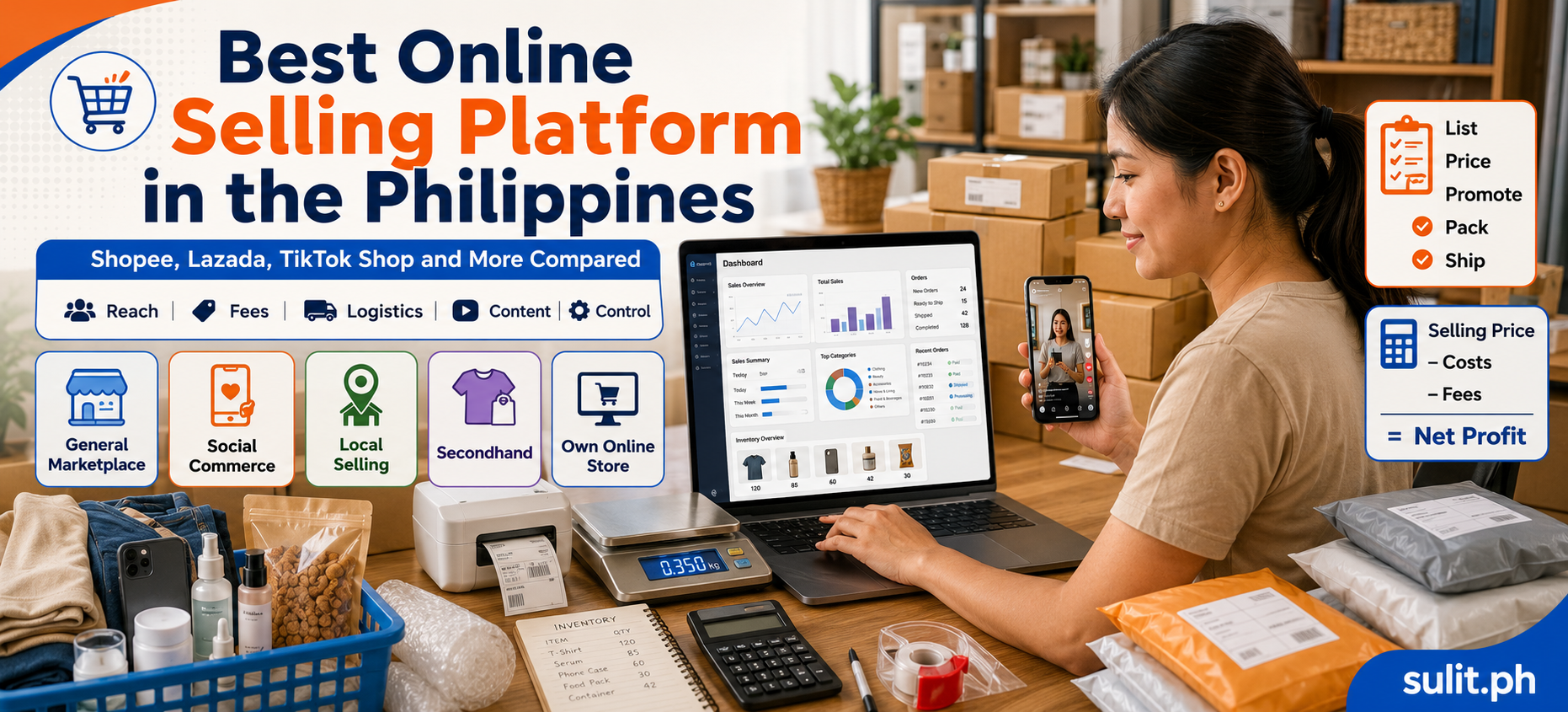
Best Online Selling Platforms for Filipino Sellers
The best platform depends on how customers discover your products, how much control you need and whether your offer is visual, searchable, local or relationship-driven.
| Platform Type | Best For | Main Strength | Main Limitation |
|---|---|---|---|
| Shopee | Search-driven marketplace products | Built-in shopping audience and seller tools | Fees, price competition and campaign pressure |
| Lazada | Marketplace retail and branded catalogs | Structured marketplace and fulfillment ecosystem | Category competition and platform deductions |
| TikTok Shop | Demonstrable and trend-led products | Video discovery, live selling and affiliates | Requires frequent content and creator-style execution |
| Facebook Marketplace | Local and secondhand selling | Direct access to nearby buyers | Manual coordination and scam exposure |
| Instagram or Facebook Page | Visual brands and community selling | Brand storytelling and direct communication | Limited marketplace-style discovery |
| Sulit.ph | Philippine lifestyle and additional local exposure | Local content and cross-posting opportunities | Smaller role than major transactional marketplaces |
| Own website | Long-term brand building | Customer experience, content and data control | Requires traffic generation and maintenance |
Shopee
Shopee fits products that shoppers actively search for, compare and purchase through a marketplace checkout.
Seller tools support product management, orders, customer communication, campaigns and store-performance tracking.
Use Shopee when:
- The product has marketplace search demand
- You can compete on listing quality and value
- Your margins can absorb seller fees and promotions
- You can fulfill orders consistently
- You are prepared to manage ratings and buyer messages
Do not price your products using supplier cost alone. Check the latest commission, transaction, logistics and program deductions before publishing.
Lazada
Lazada suits retailers with organized inventory, standardized product information and repeatable fulfillment.
It can work for electronics, home products, beauty, fashion, appliances and established consumer brands. Current requirements, category charges and seller programs should be reviewed directly inside the official seller system before you commit to a price.
TikTok Shop
TikTok Shop turns content into a storefront. Products can be discovered through short videos, livestreams, creators and affiliate content.
TikTok’s Philippine seller-registration guidance requires identity and business documentation based on whether the applicant is registering as an individual or business entity.
Use TikTok Shop when:
- The product can be demonstrated quickly
- A visible transformation or result is involved
- You can publish content consistently
- Creators can explain the product
- The product produces enough margin for commissions or affiliate activity
Products that require a long technical explanation can still work, but the content must translate complexity into a clear buyer benefit.
Facebook Marketplace
Facebook Marketplace is useful for:
- Used products
- Furniture
- Appliances
- Vehicles
- Local services
- Items suited to pickup or local delivery
It gives sellers direct access to buyers, but communication, payment confirmation and delivery arrangements require more manual work.
Meet unknown buyers in a public location. Confirm payment inside your banking or wallet application, and never share one-time passwords.
Sulit.ph
Sulit.ph can serve as an additional Philippine-focused channel for product discovery, lifestyle content and local selling exposure.
It is separate from the historical Sulit.com.ph marketplace that became OLX Philippines. For sellers, it works best as an additional visibility and cross-posting channel rather than the only source of customers.
Your Own Online Store
A website built with WooCommerce, Shopify or another commerce system gives you greater control over:
- Brand presentation
- Product information
- Bundles and promotions
- Customer journeys
- Content
- Analytics
- Customer relationships
A website does not bring traffic automatically. You will still need search visibility, social media, advertising, email, partnerships or an existing customer base.
Many sellers begin on a marketplace, validate their offer, and then build a branded website once demand is clearer.
Step-by-Step Process to Launch Your Online Store
Step 1: Choose One Primary Platform
Do not open five half-finished stores during your first week.
Choose the platform where your target customer is already shopping. Build a reliable process there before expanding.
Step 2: Create a Store Identity
Prepare:
- Store name
- Short business description
- Logo or simple wordmark
- Contact channel
- Return and exchange policy
- Shipping schedule
- Frequently asked questions
- Business registration details required by the platform
Use the same store name, spelling and visual identity across channels.
Step 3: Prepare Product Photos
Your minimum product-photo set should include:
- Main product image
- Front, back and side views
- Close-up of material or texture
- Product in actual use
- Size or scale reference
- Package contents
- Variations or available colors
- Care or usage instructions
Use natural lighting or a clean light source. Avoid stealing supplier or competitor photos when you cannot confirm that you have permission to use them.
Step 4: Write Searchable Product Titles
A weak title:
Nice Premium Bag Trending New
A stronger title:
Women’s Water-Resistant Crossbody Bag with Adjustable Strap
Include the product type, target user, material, size, variation or key function when relevant. Do not fill the title with repeated keywords or unsupported claims.
Step 5: Write a Useful Description
A complete description should answer:
- What is the product?
- Who is it for?
- What problem does it solve?
- What size or quantity is included?
- What material is used?
- What colors or variations are available?
- How is it used or maintained?
- What is included in the package?
- What should the buyer confirm before ordering?
- What is the return or exchange process?
A good listing reduces repetitive questions and prevents avoidable disputes.
Step 6: Set Your Price
Set a regular selling price based on costs and target margin. Treat discounts, vouchers and free-shipping contributions as expenses.
Never inflate the “original price” to create a fake discount. Buyers compare prices across platforms, and misleading promotions erode trust.
Step 7: Configure Inventory
Assign stock counts and product codes to every variation.
For example:
- SHIRT-BLK-S
- SHIRT-BLK-M
- SHIRT-WHT-S
This looks dull until the first busy week. Then it becomes the tiny spreadsheet lighthouse keeping orders away from the rocks.
Step 8: Set Up Payment and Shipping
Connect your eligible bank account or payment destination. Review withdrawal schedules, processing periods and name-matching requirements.
Add only shipping methods you can fulfill consistently.
Step 9: Test the Buyer Experience
Before announcing the store, check:
- Mobile display
- Product photos
- Prices
- Variations
- Shipping settings
- Stock levels
- Payment setup
- Automatic messages
- Return policy
- Contact details
- Packaging workflow
Place a test order when practical.
Step 10: Launch a Small Product Batch
Start with five to twenty strong listings instead of uploading hundreds of incomplete products.
A small batch lets you monitor:
- Views
- Clicks
- Questions
- Conversion rate
- Cancellations
- Returns
- Customer objections
- Actual net profit
Use those signals to improve the next batch.
Payment Options for Philippine Online Sellers
Common payment options include:
- Cash on delivery
- Bank transfer
- GCash
- Maya
- Debit or credit card
- Marketplace-managed payments
- Website payment gateways
Cash on Delivery
COD can increase buyer confidence, but it creates risks:
- Refused deliveries
- Incorrect addresses
- Failed delivery attempts
- Longer cash-conversion cycles
- Return-to-seller charges
Confirm the order details before dispatching high-value or made-to-order products.
Bank and Digital-Wallet Transfers
For direct transactions, verify payment through your official banking or wallet application.
Do not rely on screenshots. Screenshots can be edited, delayed or taken from a different transaction.
Never provide:
- One-time passwords
- Account passwords
- Card security codes
- Authentication codes
- Remote access to your device
Marketplace Payments
Marketplace-managed payments can simplify checkout and buyer protection, but funds are released according to the platform’s order-completion and settlement rules.
Include settlement timing in your cash-flow plan. A profitable order can still create a cash shortage when supplier payments are due before marketplace funds are released.
Shipping and Logistics Setup
Your shipping method depends on product size, destination, urgency and platform integration.
Common options include:
- Platform-accredited couriers
- LBC
- J&T Express
- Local delivery riders
- GrabExpress
- Lalamove
- Provincial cargo or bus-shipping arrangements where appropriate
Check the provider’s current service area, prohibited-items policy, package limits and compensation terms.
Basic Packaging Materials
A beginner’s packing station can include:
- Courier pouches
- Boxes
- Bubble wrap
- Honeycomb or paper wrap
- Packing tape
- Tamper-evident seals
- Labels
- Permanent marker
- Weighing scale
- Measuring tape
- Printer
- Inventory notebook or software
The product should not move freely inside the package. Fragile items need internal cushioning, not just a “fragile” sticker placed on a hollow box.
Record Packing Evidence
For higher-value orders, photograph or record:
- Product condition
- Serial number when applicable
- Quantity
- Accessories included
- Protective packaging
- Sealed parcel
- Shipping label
This does not guarantee that every dispute will be decided in your favor. It gives you documentation when investigating missing, damaged or incomplete orders.
How to Market Your Store and Get Your First Sales
Your first objective is not viral fame. It is evidence that real buyers will pay for your offer.
1. Start With People Who Fit the Market
Introduce the store to personal contacts who genuinely need the product. Do not pressure relatives into buying items they do not want merely to create artificial activity.
Ask early buyers what almost stopped them from purchasing. Their answers can expose unclear sizing, weak photos, missing payment methods or delivery concerns.
2. Publish Product Demonstrations
Useful content formats include:
- How the product works
- Before-and-after demonstrations
- Size comparisons
- Product-care instructions
- Packing videos
- Frequently asked questions
- Common mistakes
- Side-by-side variations
- Customer use cases
- Bundle suggestions
A video showing one clear benefit can sell better than a poster crowded with twelve claims.
3. Improve Marketplace Search Visibility
Use relevant words in:
- Product title
- Category
- Attributes
- Description
- Variation names
- Store categories
Select the correct category. A well-written listing placed in the wrong category can disappear from relevant filters.
4. Offer a Clear Launch Deal
A launch promotion can include:
- Small introductory discount
- Bundle pricing
- Free sample
- Limited shipping subsidy
- Buy-more-save-more offer
Calculate the net profit before launching the promotion. A large number of unprofitable orders is an expensive celebration.
5. Respond Quickly and Clearly
Prepare templates for common questions about:
- Availability
- Sizes
- Colors
- Delivery time
- Payment
- Warranty
- Returns
- Product compatibility
Templates save time, but personalize the answer when the buyer’s concern requires detail.
6. Ask for Honest Reviews
After successful delivery, ask the buyer to review the product and service honestly.
Do not purchase fabricated reviews or offer rewards that require a positive rating. Honest reviews reveal what future customers need to know.
7. Use Paid Advertising After Validation
Advertising magnifies what is already happening.
When a product page receives visits but no sales, fix the offer, images, price, reviews or description before increasing the advertising budget.
Begin with a controlled daily budget and measure:
Advertising return = Profit attributable to advertising − advertising cost
Do not judge an advertisement from reach or views alone.
Common Online-Selling Mistakes
Buying Too Much Inventory
A supplier discount is not a saving when the products remain unsold.
Test a manageable quantity before committing to a large order.
Copying Competitors’ Prices
A competitor can have lower supplier costs, different fees or a strategy that is losing money.
Build your own cost model.
Ignoring Platform Deductions
Marketplace fees, campaign contributions, affiliate commissions, returns and advertising can turn a promising margin into a thin sliver.
Review the actual settlement statement for every product.
Selling Too Many Unrelated Products
A store offering phone cases, pet food, dresses, tools and frozen desserts creates an unclear identity and a complicated inventory system.
Build around a customer group, use case or category.
Depending on One Platform
A suspended account, algorithm change or revised fee schedule can interrupt sales overnight.
Once the first channel is stable, develop another customer-access point such as social media, an email list, a website or an additional marketplace.
Responding Emotionally to Complaints
Document the concern, check the order record, confirm what happened and offer the remedy allowed under your published policy and applicable consumer rules.
A public argument can cost more than the disputed order.
A Realistic Beginner’s Startup Budget
There is no single required amount. The starting budget depends on whether you hold stock, manufacture products, provide services or use a made-to-order model.
| Expense | Lean Test Setup | Inventory-Based Setup |
|---|---|---|
| Product samples or initial stock | ₱2,000–₱8,000 | ₱10,000–₱50,000+ |
| Packaging | ₱500–₱2,000 | ₱2,000–₱8,000 |
| Basic photo setup | ₱0–₱2,000 | ₱2,000–₱8,000 |
| Registration and local compliance | Depends on structure and location | Depends on structure and location |
| Marketing test | ₱0–₱3,000 | ₱3,000–₱15,000 |
| Contingency fund | ₱1,000–₱5,000 | ₱5,000–₱20,000 |
These are planning illustrations, not official fee schedules.
A service business, digital product or made-to-order shop can begin with far less inventory capital. A private-label, imported or regulated product line requires more cash and longer preparation.
Your 30-Day Online-Selling Launch Plan
Week 1: Product and Customer Research
- Define the target customer
- Shortlist three product ideas
- Compare at least ten competing listings
- Contact potential suppliers
- Order samples
- Calculate expected profit
Week 2: Registration and Operations
- Select the business structure
- Begin the applicable registration process
- Open a separate financial account where appropriate
- Choose couriers
- Buy packaging supplies
- Write store policies
Week 3: Store and Content Setup
- Create the store account
- Photograph the products
- Write listings
- Prepare social content
- Configure inventory
- Test payment and shipping settings
Week 4: Launch and Measure
- Publish the first listings
- Announce the store
- Run a small promotion
- Respond to buyers
- Track every order
- Review product views and conversion
- Calculate actual net profit
At the end of 30 days, decide which products to reorder, improve, reprice or discontinue.
Frequently Asked Questions
How do I start online selling in the Philippines?
Choose a specific product and target customer, validate demand, calculate your full cost per order, complete applicable business registrations, select a selling platform, prepare listings, set up payments and shipping, and launch a small test inventory.
Do I need DTI registration to sell online?
A sole proprietor using a business name registers that name with DTI. Partnerships and corporations register with the SEC, and cooperatives register with the CDA. Occasional disposal of personal used items is different from operating an ongoing commercial selling activity.
Can I sell on Shopee without BIR registration?
Marketplace onboarding and verification requirements can change. BIR regulations require businesses, including online sellers, to register and identify online store names used in e-commerce. Platforms can require a BIR Certificate of Registration and tax information as part of seller compliance.
How much does it cost to start selling online?
A made-to-order or service-based business can begin with a small budget. An inventory-based shop needs funds for stock, packaging, compliance, marketing and returns. Calculate the budget from your chosen business model instead of relying on a universal minimum.
What products are good for beginners?
Products that are easy to demonstrate, durable, compact, simple to ship and capable of producing enough margin after fees are easier to manage. Validate actual demand before purchasing a large quantity.
How do online sellers receive payments?
Sellers can receive payments through marketplace settlement systems, COD, banks, GCash, Maya, cards and website payment gateways. The available options depend on the platform, business setup and payment provider.
What is the 3-3-3 rule in sales?
The expression has several meanings across sales teams and is not a universal online-selling rule. One practical version is to focus daily on three prospecting actions, three follow-ups and three customer-service or retention actions. Treat it as a productivity framework, not a legal or platform requirement.
Should I begin with Shopee, TikTok Shop or Facebook Marketplace?
Choose Shopee for search-driven marketplace demand, TikTok Shop for products that sell through demonstrations and content, and Facebook Marketplace for local or secondhand transactions. Begin with the platform most closely aligned with how your target buyer shops.
Final Online-Selling Checklist
Before accepting your first order, confirm that you have:
- Identified a specific target customer
- Tested or inspected the product
- Calculated net profit after all costs
- Completed applicable registration steps
- Opened the required platform account
- Prepared original product images
- Written complete product descriptions
- Published shipping and return policies
- Connected a valid payout method
- Prepared packaging materials
- Tested your order workflow
- Created an inventory record
- Set aside funds for returns and problems
- Prepared customer-response templates
- Checked the platform’s current seller fees
Conclusion
Starting an online business in the Philippines is easier when you treat it as a controlled test instead of a dramatic all-or-nothing launch.
Begin with one customer group, a small set of products and one primary selling channel. Calculate profit before chasing sales. Register the business correctly, document every transaction and improve the store using real buyer behavior.
Your first store does not need to look enormous. It needs to deliver what it promises, protect its margins and give customers a reason to return.